Custom fields and team connectors: manage your company's information as you wish
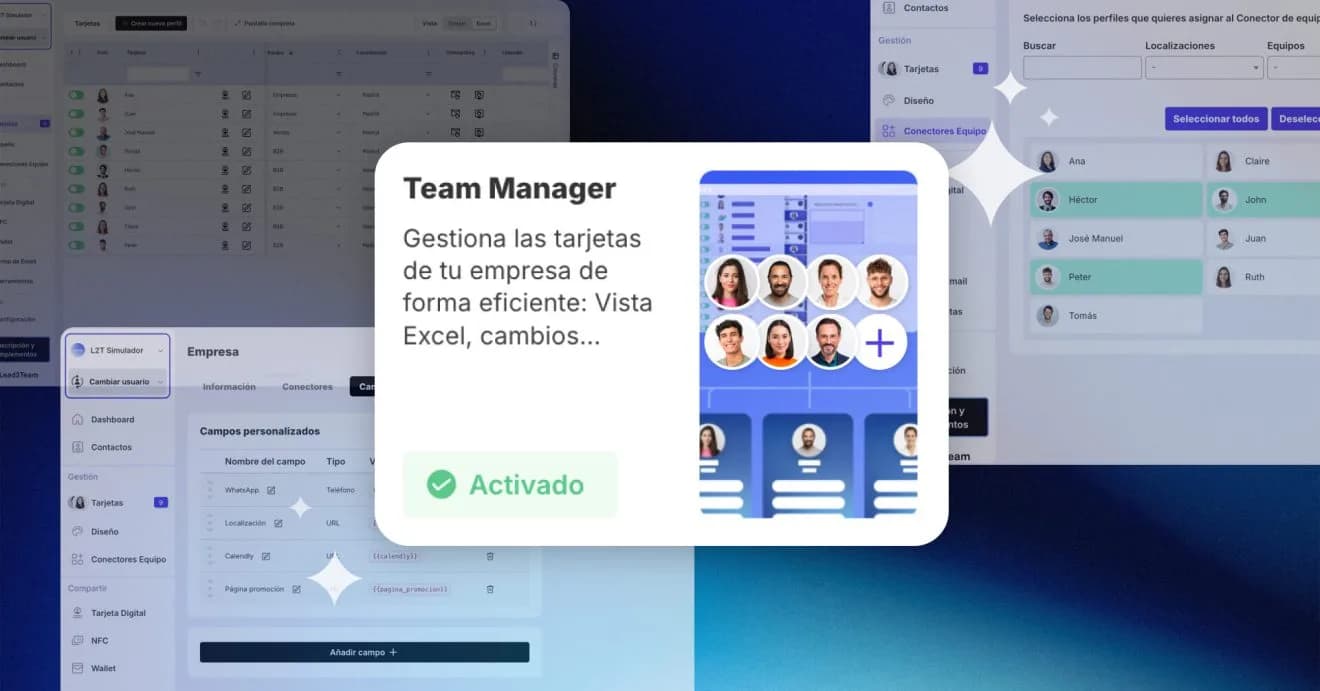
Digital Card Management with custom fields and equipment connectors that allow you to manage in one place.
We’re launching an improvement designed for those who manage cards within their company.
You can now create your own profile fields and keep all your team’s information up to date from a single place.
Create the fields your company needs
Until now, every profile included four basic fields: name, description, email and phone.
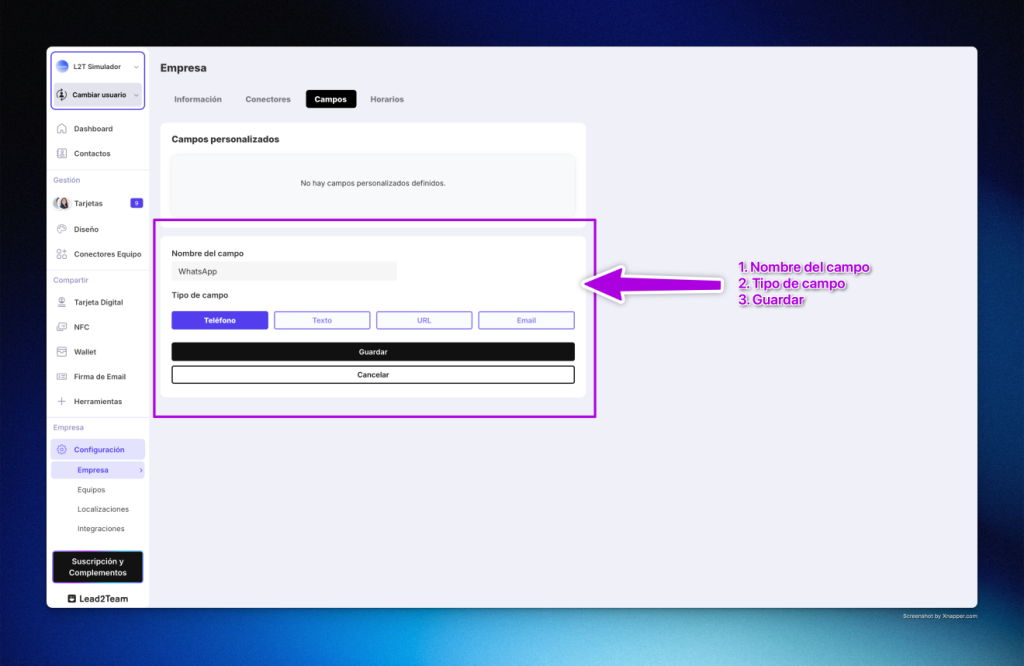
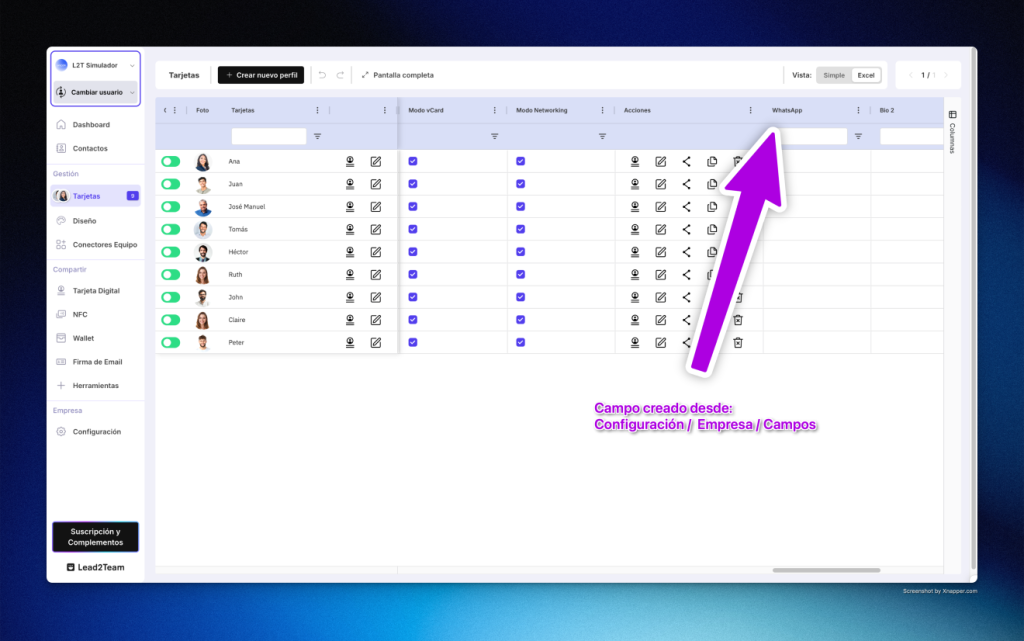
You can now add your own fields from the Company section.
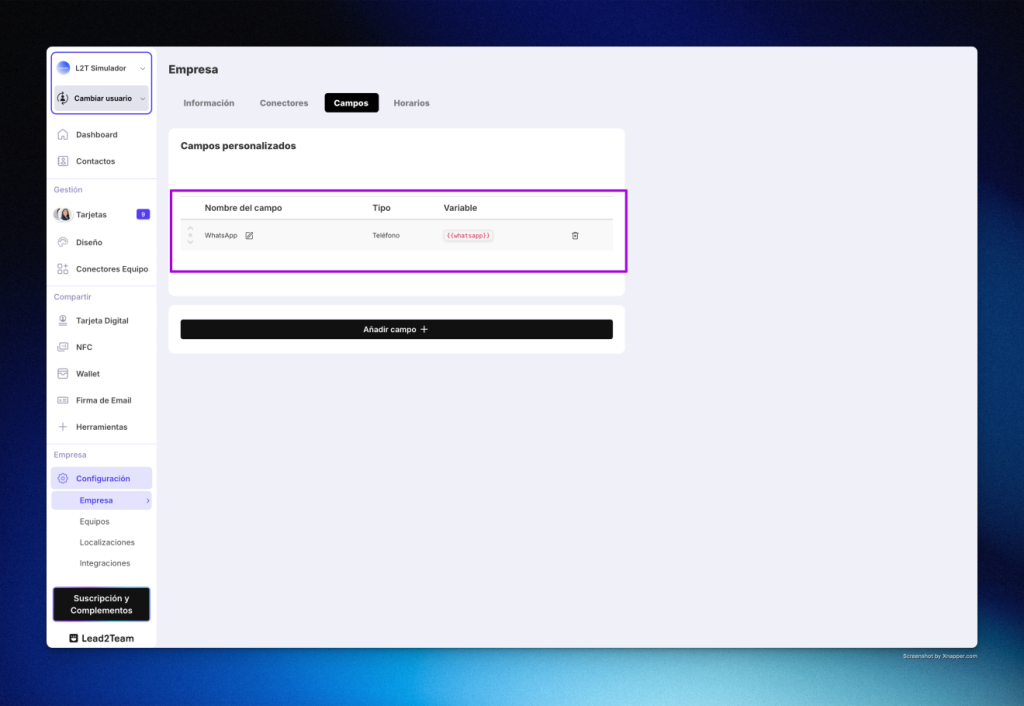
You can define text, link or number fields. For example, if you want cards to also include a WhatsApp number, you just need to create a new number field and give it a name.
Once created, that field becomes part of the base profile and you can fill it in for each person on the team.
Edit your team’s information from the Excel View
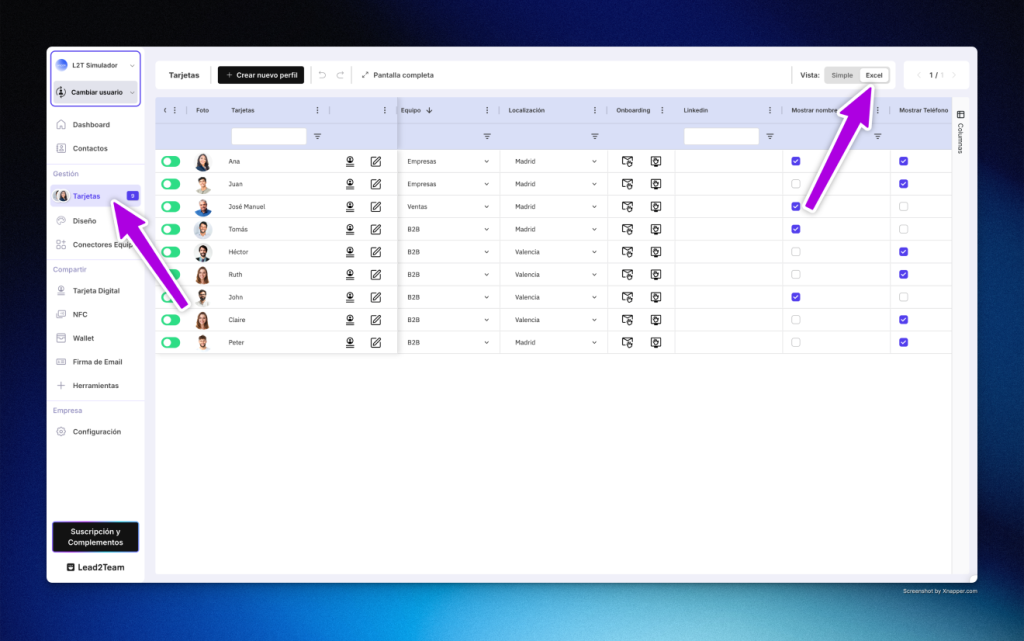
The Excel View lets you update all the data at once, without going profile by profile.
Once you’ve finished creating the custom fields, go to Cards > Excel View and fill in each person’s data.
This way, each card shows its updated information in seconds, with no manual processes.
Create templates with team connectors
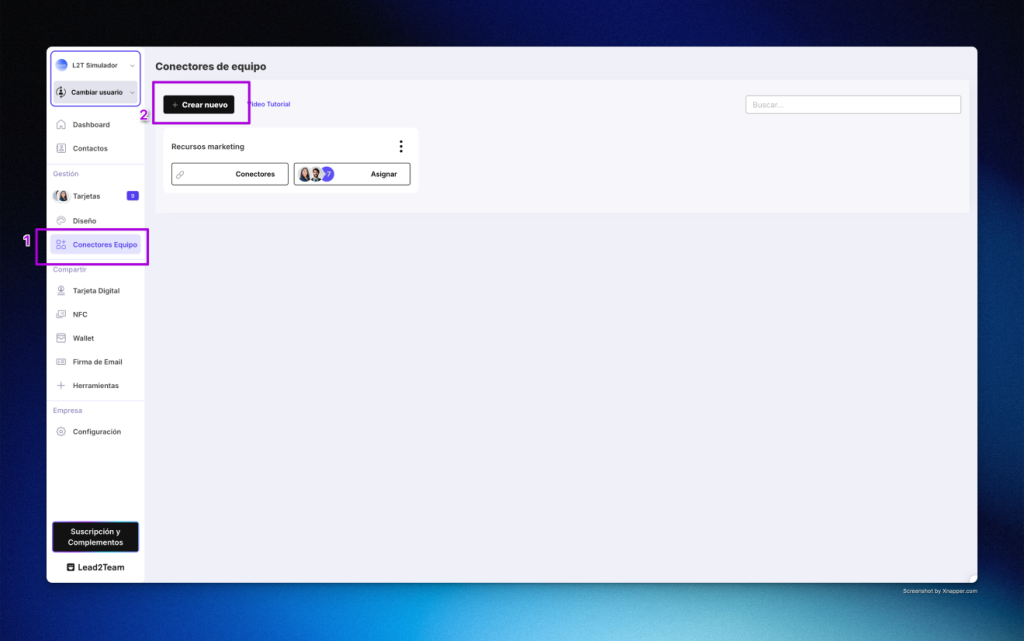
For those who manage several profiles, team connectors simplify everything.
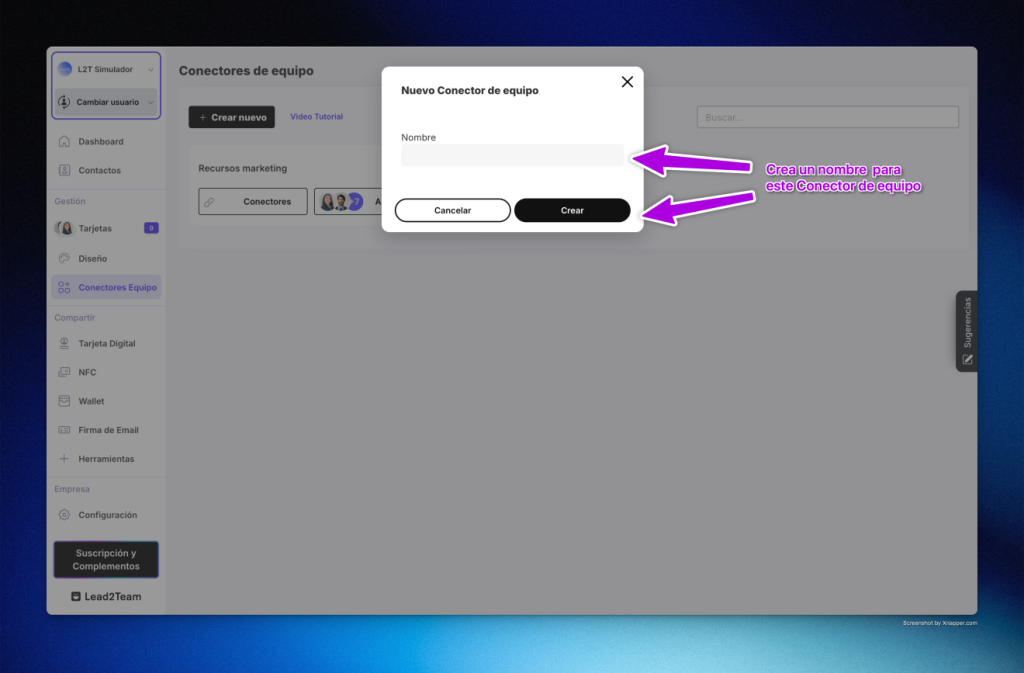
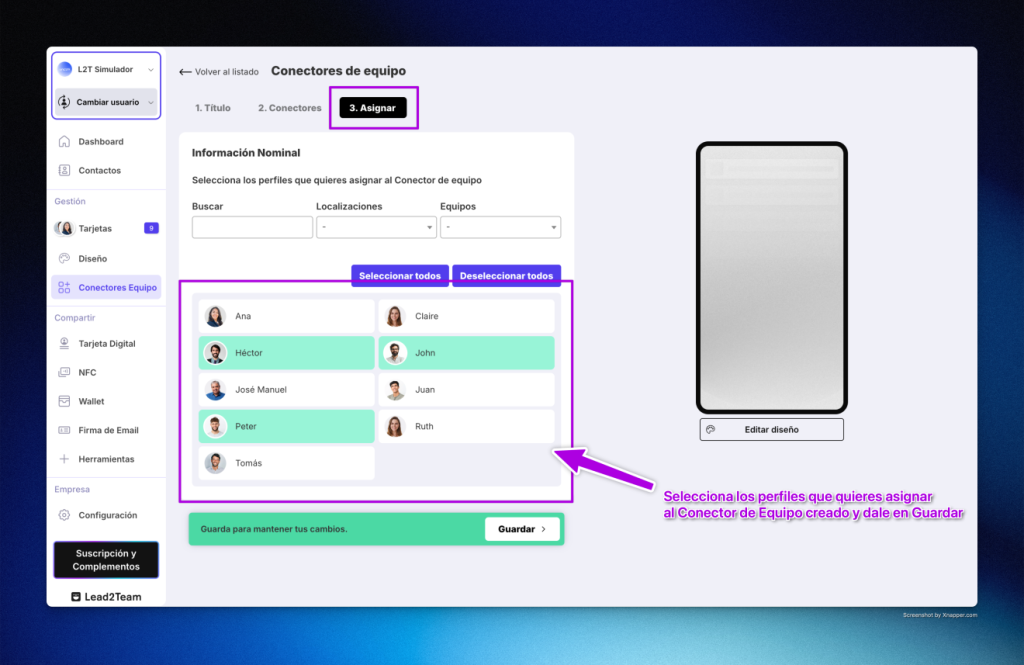
They let you create a digital card template that you can apply across the whole company.
If tomorrow you need to change a piece of data, you won’t have to go into each card: you simply edit the template, and the cards update automatically.
You can create one or several templates, depending on what you need.
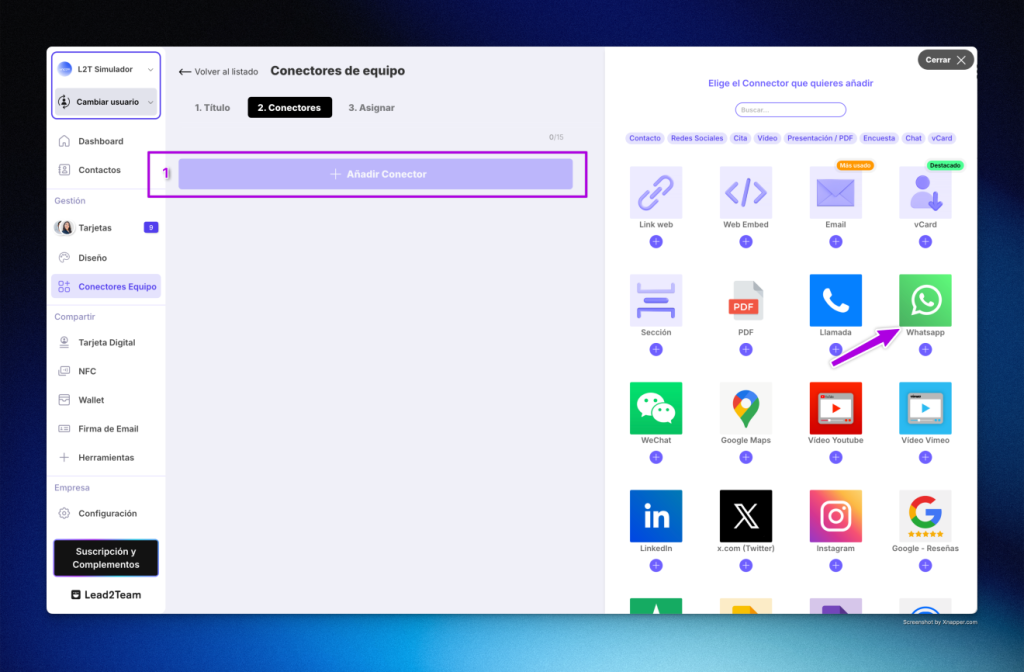
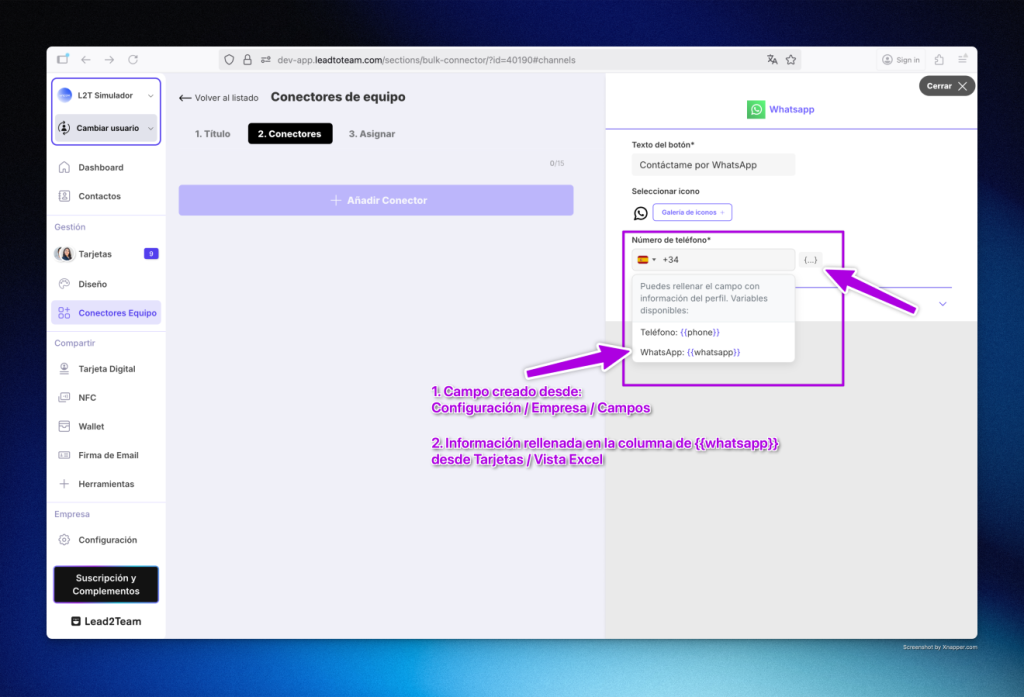
In the following example, we update a base template and add the new custom field “WhatsApp”.
To do this, go to Connectors, click Add new connector and select the “WhatsApp” one.
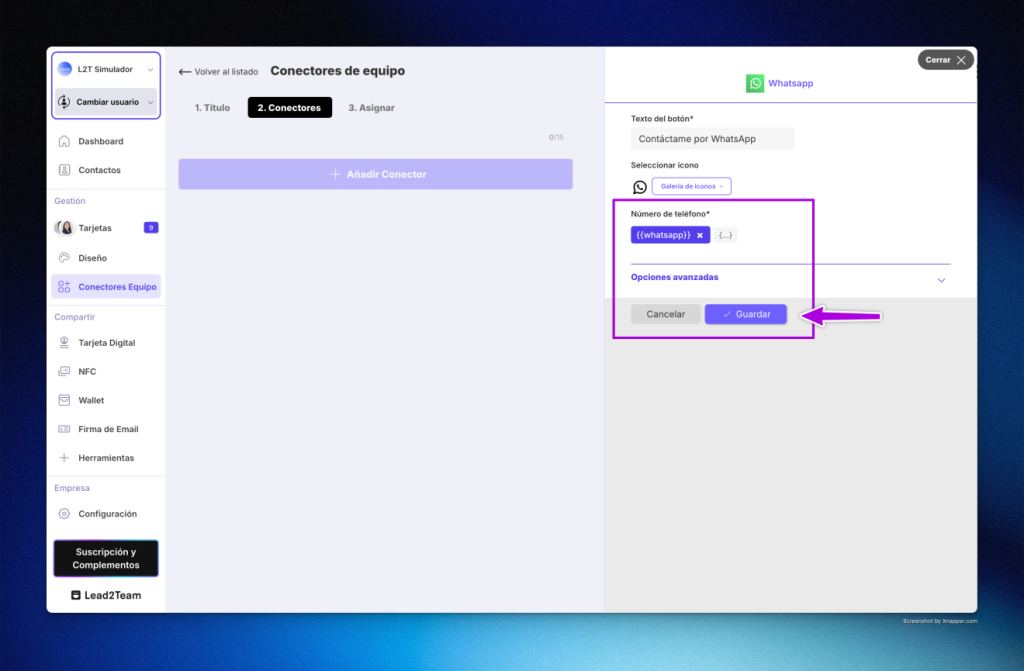
When you fill in the information, instead of typing a number, select the “WhatsApp” field variable.
This way, each card automatically shows the correct number for each person.
Keep your cards up to date
Templates help you edit globally, do fewer repetitive tasks and have more control over your team’s information.
In summary
- Create the custom fields your company needs.
- Fill in the information from the Excel View.
- Use team connectors to keep your cards up to date.
Lead2Team, the most practical way to manage digital cards as a team.
Put it into practice with your team
Create your team's digital cards and share them in seconds, with full brand control.