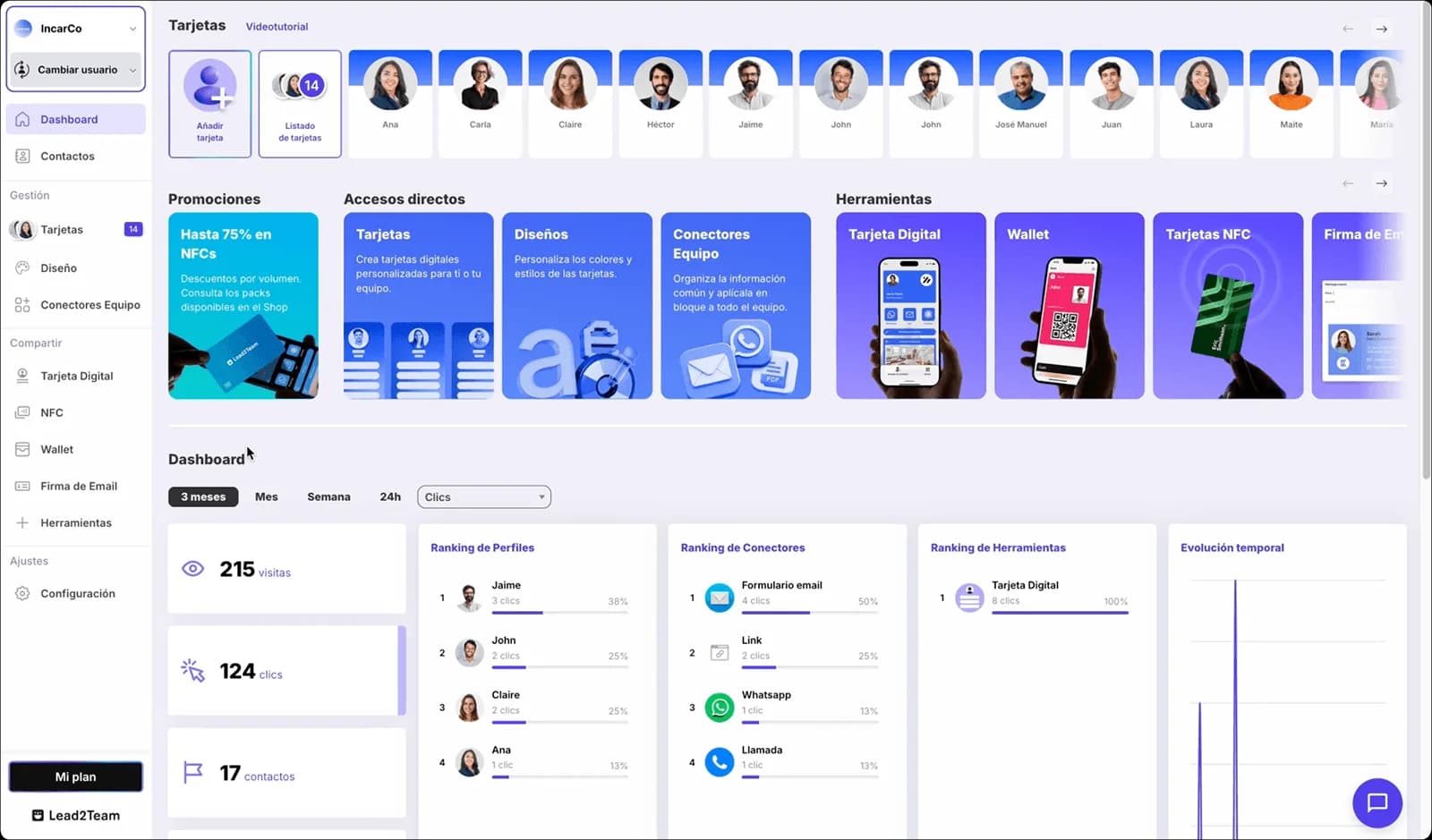
The #1 digital business card platform
vCard, QR, NFC, Wallet and email signature — all from a single profile. Share it with a tap, update it instantly.

More than 30,000 companies connect with Lead2Team every day



























100% self-service
Your entire contact identity, centralized in one platform
Everything you need to customize, update and distribute your team's cards, with full autonomy.
Bulk data import
Import your whole team's data from Excel or CSV and create all the cards in minutes.
Team templates
One template per department, brand or business area. Update a detail in the template and it applies instantly to all the cards in the group.
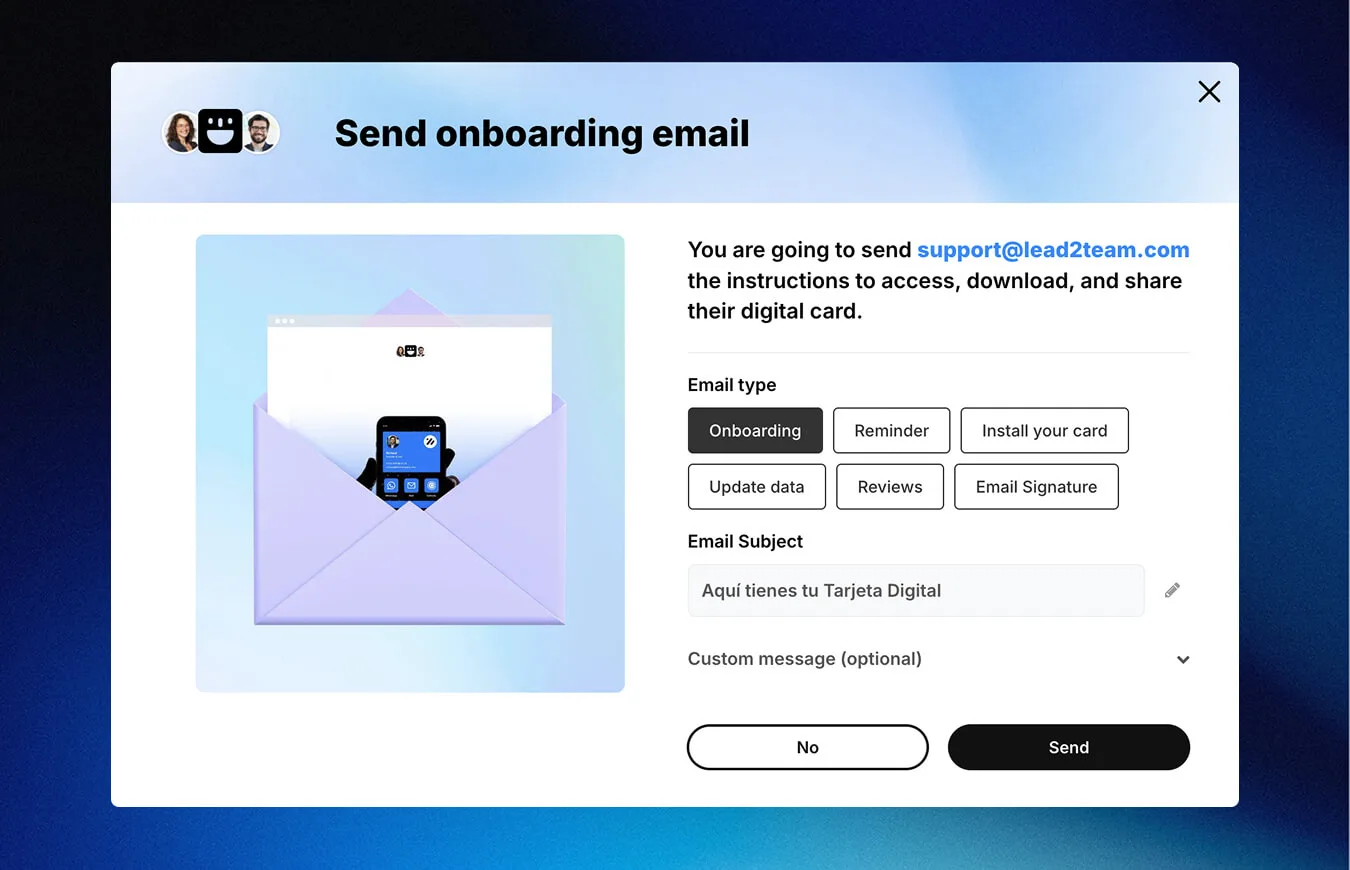
Automated sending
One click to onboard the whole company. Everyone receives their card by email, ready to install and use from the very first moment.
Multiple designs
Ideal for multi-brand companies. Create and save one design per brand or team and assign it to each person in one click.
Custom fields
Add the fields your company needs — physical address, several phone numbers, specialty, whatever it may be.
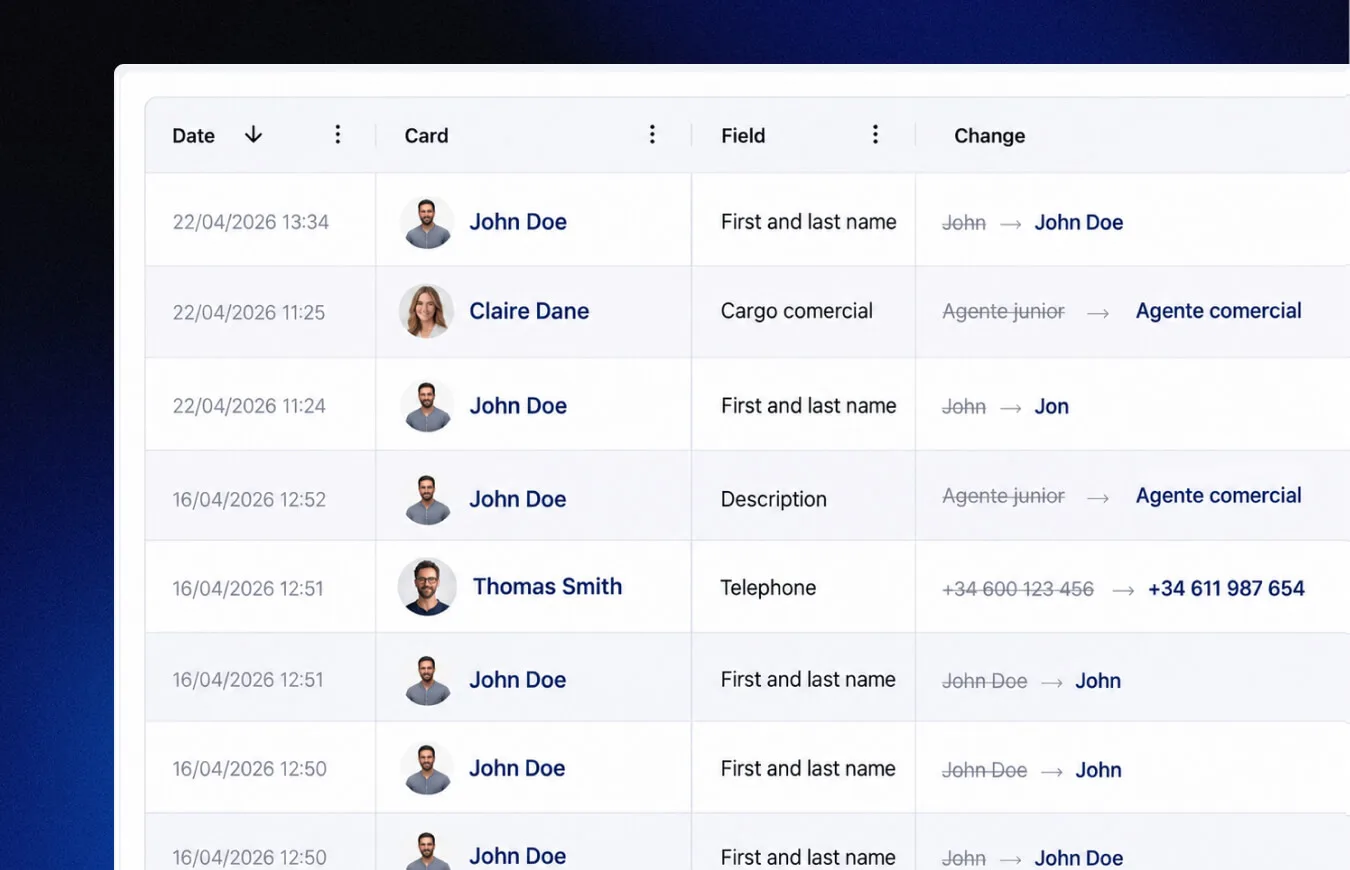
Change history
Set permissions per employee, with a log of changes made by date and time.
You at the center
Everything revolves around a single profile.
Change a detail once and it updates across all your contact tools.

NFC card
One tap and your contact lands on the phone of whoever's in front of you. No apps, no typing.
Discover →Wallet
Your card lives in Apple and Google Wallet, always a tap away and updated automatically.
Discover →Email signature
Your digital card in every email you send: a professional signature, consistent across the whole team and always up to date.
Discover →Team card
Thousands of consistent cards managed in minutes, with centralized design and data.
Discover →QR generator
Dynamic QR codes you edit without reprinting: change the destination whenever you want.
Discover →Web Assistant
A widget that lets people contact you from your website instantly, through the channel they prefer.
Discover →HTML card
Embed your team's live cards on your website: save contact, call or message in one click.
Discover →Review Collector
Channels happy customers to Google and complaints to a private inbox.
Discover →Benefits
Everything you can do with your digital card
Unlimited use and sustainable
It doesn't run out, doesn't get lost, doesn't expire. Always available on your phone. No reprints, no paper, no waste — more cost-effective than any physical card in the long run.
Employee onboarding
Employee onboarding, under control.
Onboarding new employees will no longer be a problem. Distribute the cards and the rest of the resources from day one.
Automate delivery to the whole team in one click
Launch the onboarding email to the entire staff at once. Everyone receives their digital card with instructions to install it and start using it from the very first moment.
- Mass distribution in one click, wherever they are.
- The email includes video tutorials for iPhone and Android.
Lead2Team for large organizations.
Security, compliance and support at every step.
Custom domain
Customize the domain of your corporate cards.
Multi-language
Customize the language of each card, ideal for international teams.
API + CRM & HRIS connection
Sync joiners, leavers and data changes automatically from your own systems.
Assisted implementation
Our team supports you through the initial setup.
Custom development
We adapt the card design to your company's brand guidelines.
Enterprise trust
The points IT and legal validate before signing.
- GDPR
- Encrypted data
- EU infrastructure
- Recurring pentests
- Certified accessibility — audited by ILUNION
The platform best rated by customers for design and ease of implementation.
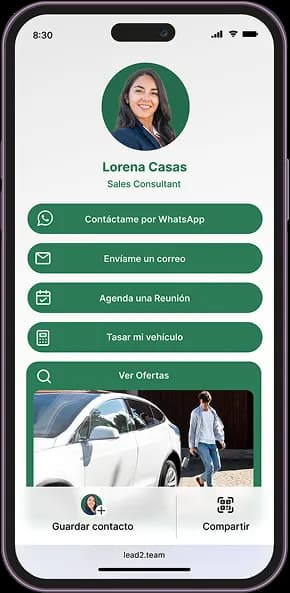
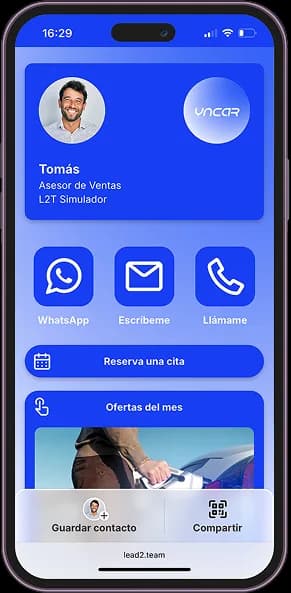
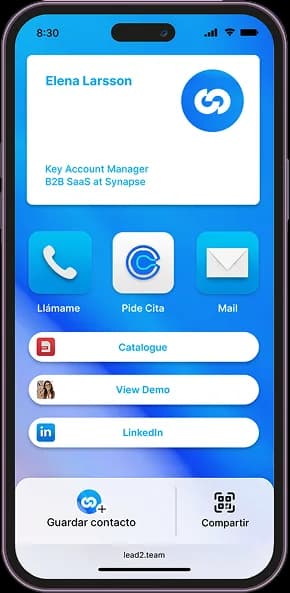
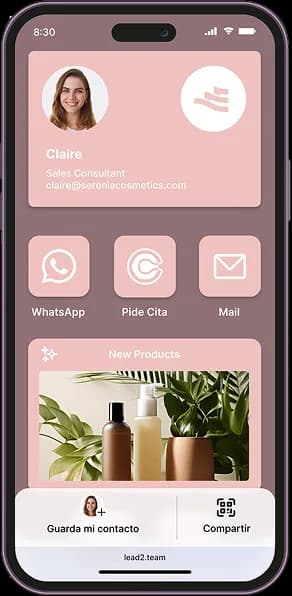
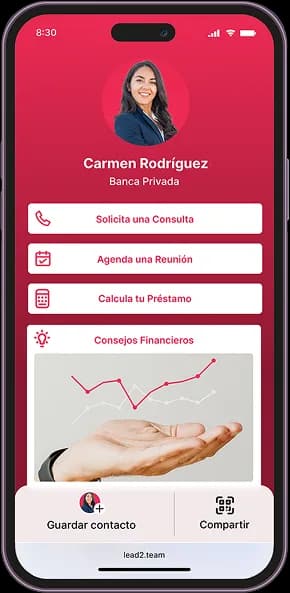
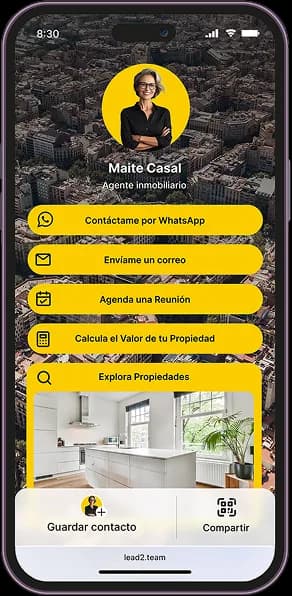
Multi-design manager
Each team, with its own card design
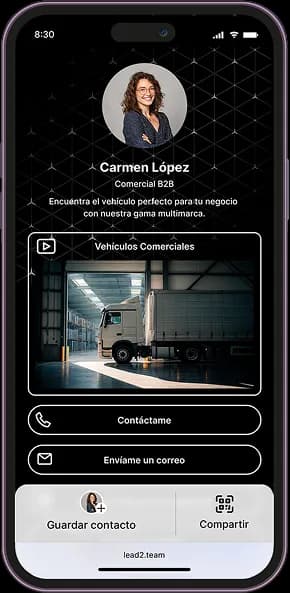
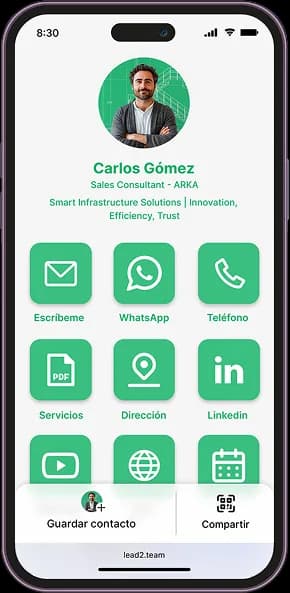
Customize your Digital Cards: create, save and apply designs by brand or team.
Edit headers, buttons and styles, reflecting your company's style and corporate identity.
Success stories
Leading brands already use it every day
Automotive, Insurance, Real Estate, Food, Consulting, E-commerce and many more.
 Automotive
«With Lead2Team we can offer direct contact with our advisors and keep a close, personalized relationship within the digital space»
Óscar Oñate
Brand Director · Jaguar Land Rover Spain & Portugal
View case study
 Events
«It's a tool that lets me share my professional profile across every sales channel in a visually attractive, interactive way»
Joan Blasco
CEO · La Santa Pari
View case study Automotive
«What stands out about Lead2Team is that it brings a variety of contact channels for our users, and lets dealerships manage certain leads more nimbly»
Álvaro Fernández
Digital Marketing · Ford España
View case study Consulting
«Lead2Team's widget has transformed the way we capture leads on our website»
Beatriz Lozares
Founder · Fluidea
View case study Automotive
«Lead2Team lets us give visibility to our team of experts, which helps potential customers make better, faster decisions»
Claire Escartín
Chief Marketing Officer · Grupo LG Barcelona
View case study
Frequently asked questions
- It is your digital contact profile — with your name, job title, contact details, and the links you choose. You can share it via QR code, NFC, Wallet, or link. Whoever receives it can save your details to their contacts, with no apps or installations needed.
- Name, job title, photo, phone, email, social networks, website, WhatsApp, PDF catalogs, videos, meeting scheduler, and much more. You can add or remove connectors whenever you need to.
- You have several options: show the QR code for others to scan, send the link by WhatsApp, email, or LinkedIn, hold your NFC card near the other person's phone, or show your Wallet from your phone. You can also add it to your email signature.
- No. Anyone with a smartphone can open your card and save your details straight to their contacts.
- Yes. Your card includes a built-in form where the contact can leave you their details. You can also take photos of physical cards and the OCR reader will extract the data in seconds.
- You update your details from the dashboard and the change is reflected on your card instantly. No reprinting, no downloading it again.
- Yes. From the dashboard you have access to metrics on visits, clicks per connector and leads generated by date and time. If you manage a team, you can see each person's activity.
- You receive an automatic email notification every time a contact fills in your card's form, so you can respond and follow up commercially right away.
- Yes. The contacts who receive your details or who leave theirs can go straight to your CRM, with no manual work.
- Yes. From the admin dashboard you can create, edit and distribute the whole team's cards. Any change to details or design is applied instantly across all cards, without relying on each person doing it themselves.
- Import your team's data from an Excel or CSV file and the cards are created automatically in minutes. You can also connect Lead2Team with your HRIS or ERP so that additions and removals sync automatically.
- Yes. From the dashboard you define which people have editing permissions and which fields can be modified — for example name, job title, phone number. This way you give your team autonomy without losing control.
- From the dashboard you can deactivate their card in seconds. From that moment, the link stops showing their profile and automatically redirects to the company website. No broken links, no outdated information circulating.
Yes. Your card only shows the details you choose to publish, and the other person doesn't need to install anything or hand over their data to view it. In Lead2Team the panel is access-protected, the platform is GDPR-compliant and you can update or remove information at any time.
It depends on the platform and whether it's for one person or a whole team. Lead2Team works on a subscription, with a 7-day no-commitment trial and plans that scale from a handful of cards to thousands. For a quote tailored to your team, talk to sales.
There's no single "best" one: it depends on your case. For individual use the basics are enough; for a company with a team, what matters is centralised management, brand control, CRM integrations and contact measurement. Lead2Team is built precisely for that corporate use at scale.
The card opens in the browser, so it needs a connection to display. But if you save it to Apple Wallet or Google Wallet you can show your QR code offline, and the other person reaches your full profile as soon as they have internet.
They work for both, but management changes a lot. An individual needs a single card; a company needs to create, update and measure dozens or thousands of cards with a consistent brand image. Lead2Team is built for that corporate case —a central panel for the whole team— whereas tools aimed at the individual user fall short at scale.
Still not sure if it's for you…
Here's the 90-second explainer.
Ready to modernize your company's networking?
Get it up and running today and see results from day one.