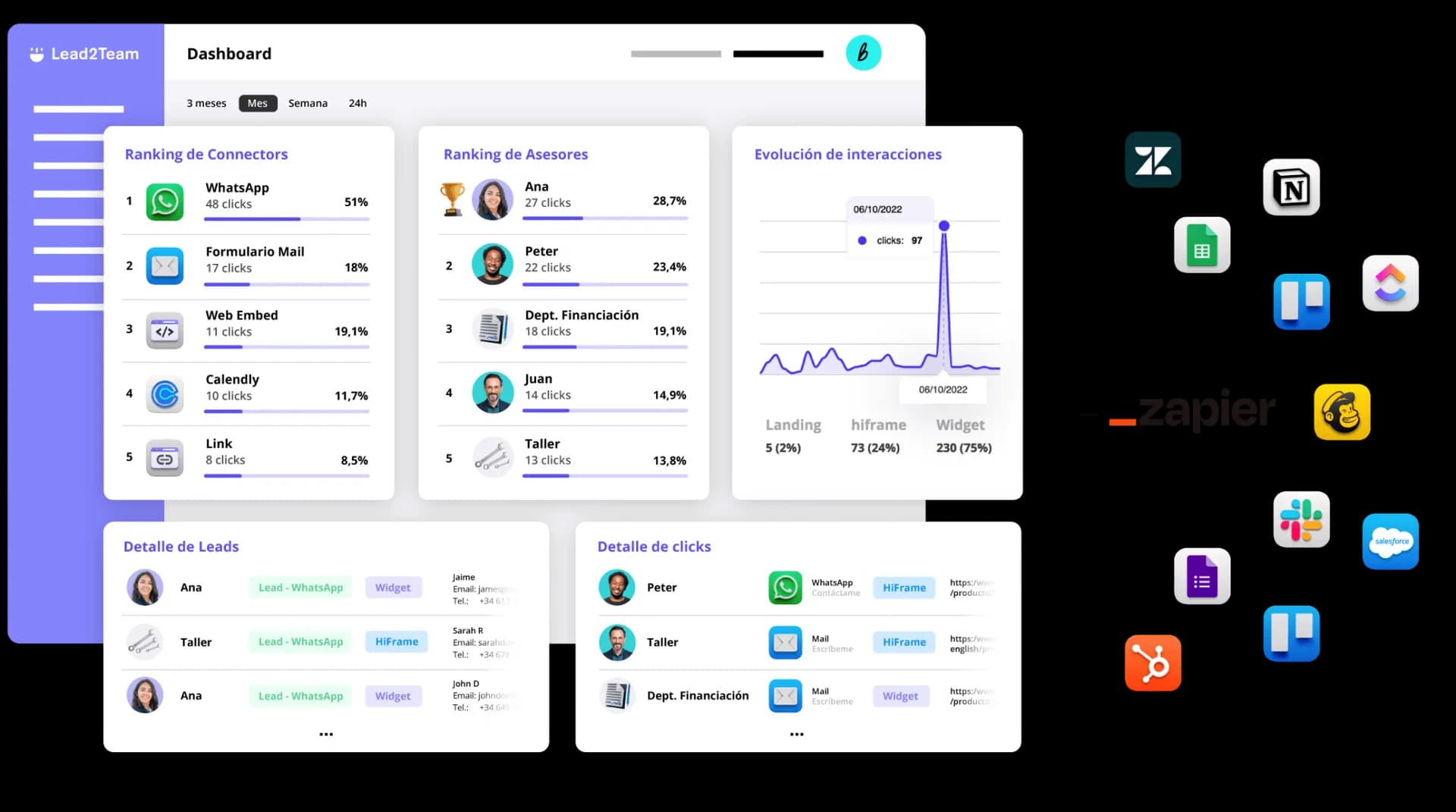
Corporate email signature with QR for teams
Outdated logos, distorted images, every employee with their own version. With Lead2Team you unify it all — and it works in Gmail, Outlook and Apple Mail.
Over 30,000 companies connect with Lead2Team every day






















100% self-managed
Control every employee's signature from one dashboard
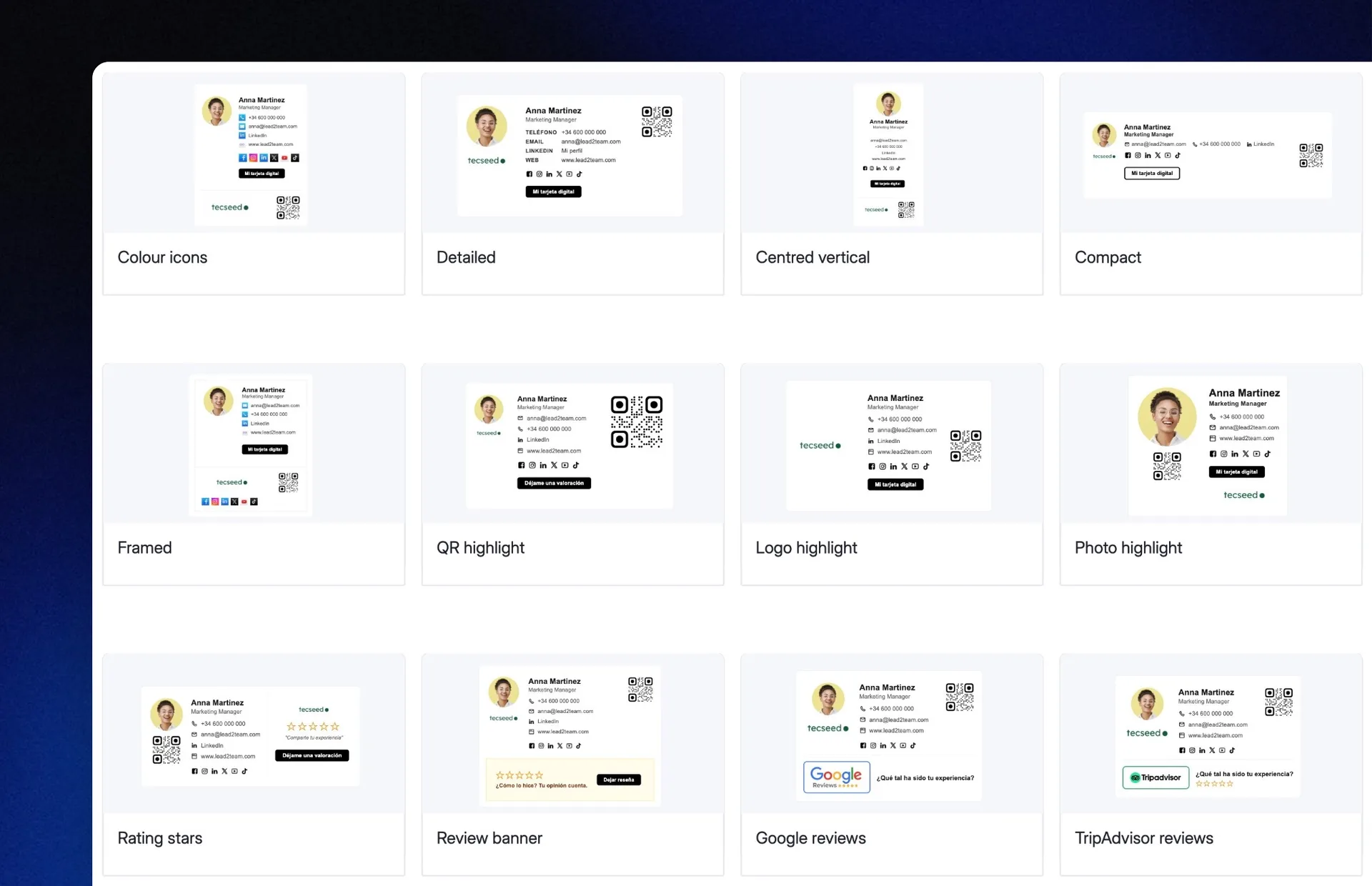
15+ ready-to-use templates
Choose from multiple pre-designed templates and get started in minutes.
AI editor
Use AI to create the perfect email signature for your company.
Multiple signatures for the company
Assign each department or person their own email signature.
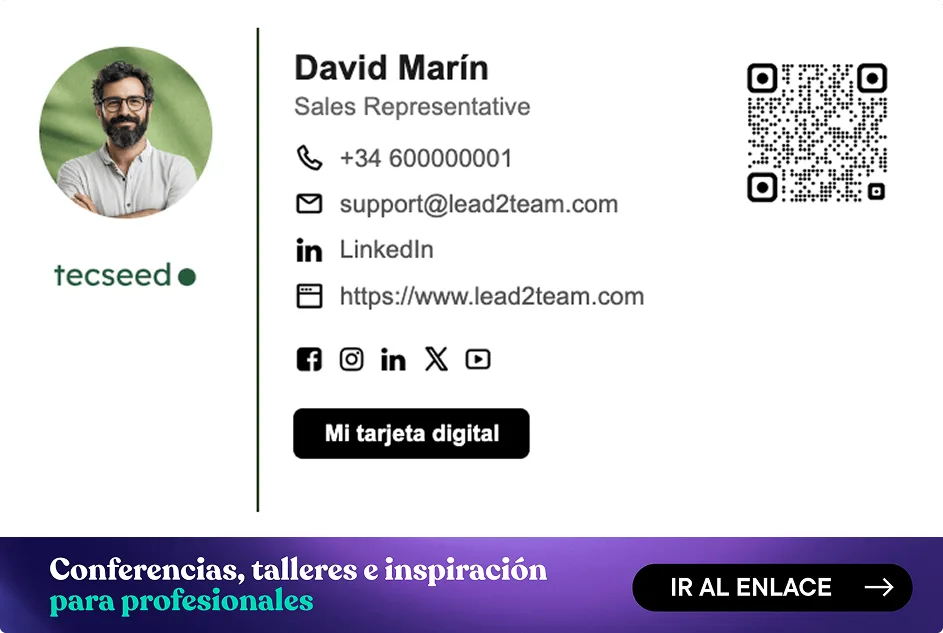
Email signature with QR
Add a QR to the signature that opens the digital card.
Updatable banners
Manage signature banners and update them across the whole company in 1 click.
Bulk distribution
Distribute the signature in bulk across the whole company.
Bulk data upload
Import thousands of profiles via Excel/CSV and create all the cards in minutes, with no manual work.
Click analytics
Statistics on digital card visits coming from the email signature.
Dynamic signature
Build the signature with variables: each detail shows only if the profile has it filled in.
From template to the whole company
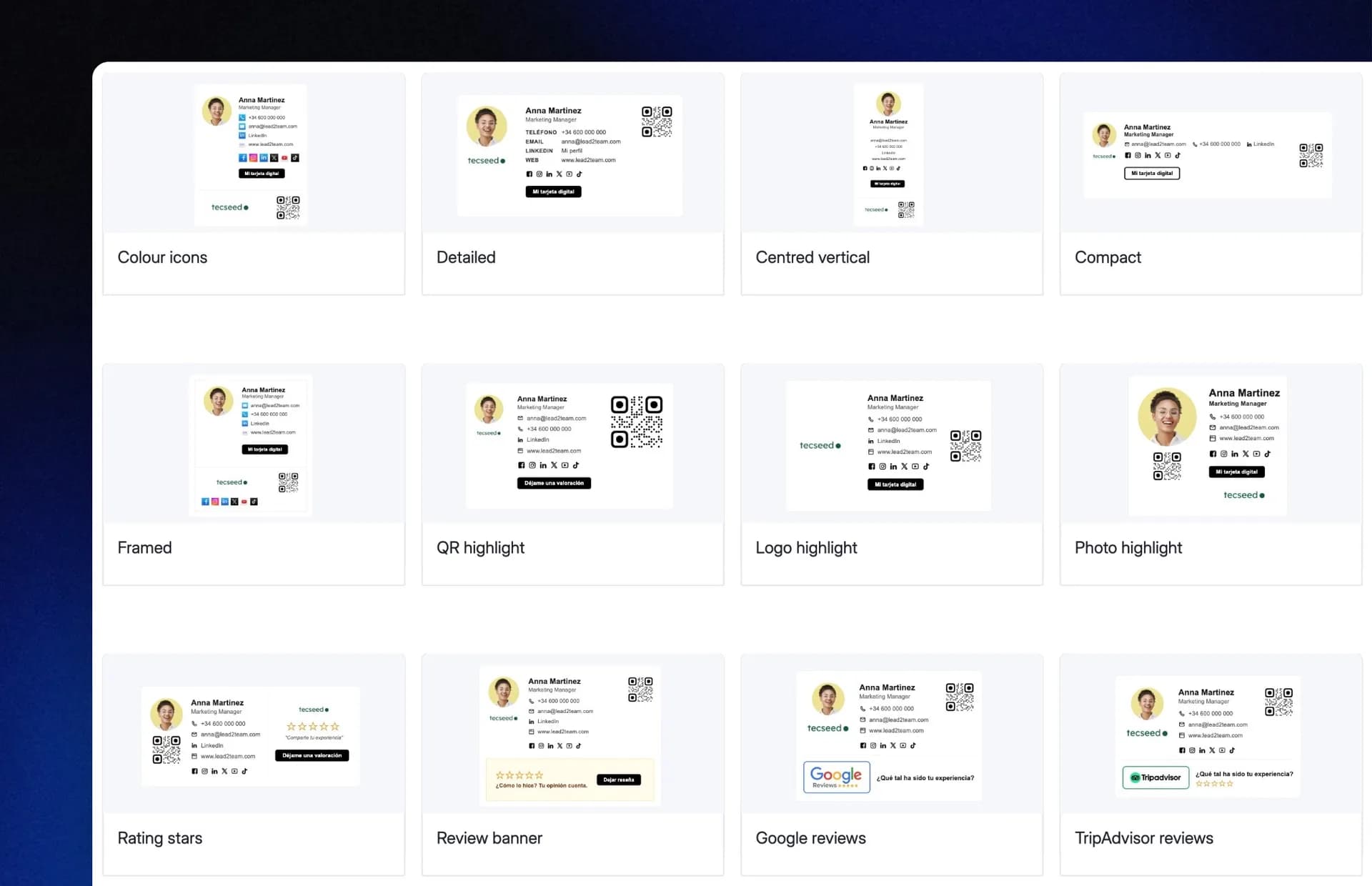
15+ templates
Ready to use, previewed with each person's real data before activation.
Lead2Team for large organizations.
Security, compliance and support at every step.
Custom domain
Customize the domain of your corporate cards.
Multi-language
Customize the language of each card, ideal for international teams.
API + CRM & HRIS connection
Sync joiners, leavers and data changes automatically from your own systems.
Assisted implementation
Our team supports you through the initial setup.
Custom development
We adapt the card design to your company's brand guidelines.
Enterprise trust
The points IT and legal validate before signing.
- GDPR
- Encrypted data
- EU infrastructure
- Recurring pentests
- Certified accessibility — audited by ILUNION
The platform best rated by customers for design and ease of implementation.
IMPACT CALCULATOR
Do you know how many emails your company sends per month?
Adjust the number of employees and discover the real reach of your email signature.
Emails sent per month
External touchpoints per year
clients, suppliers and partners
Outdated signatures in circulation
estimado
Every email is a point of contact with the outside world. A signature with an old logo, a broken image or wrong details projects an image that doesn't represent your company. Multiply that by thousands of sends per month.
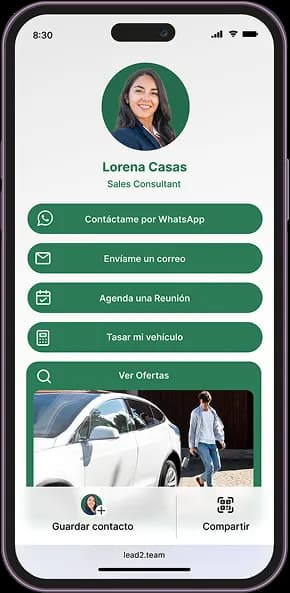
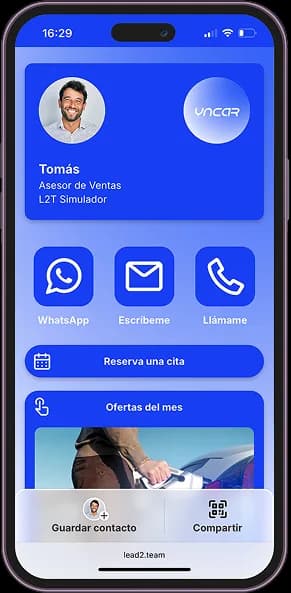
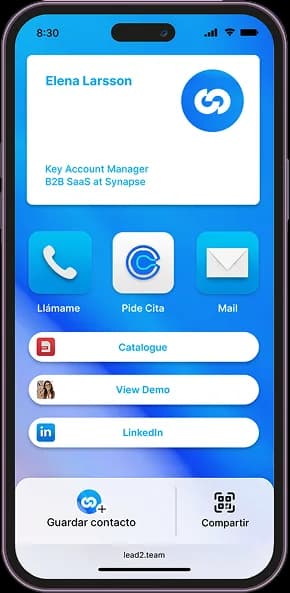
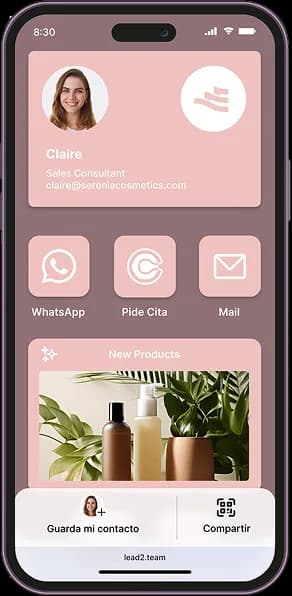
Multi-design manager
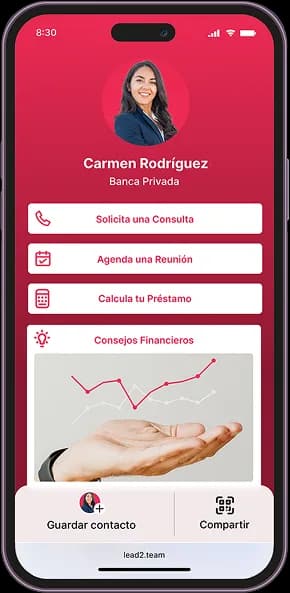
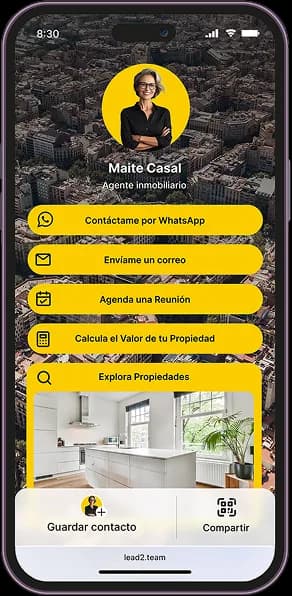
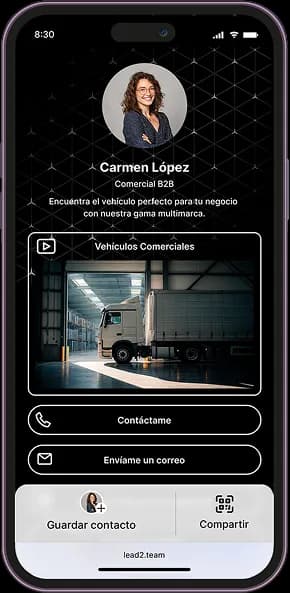
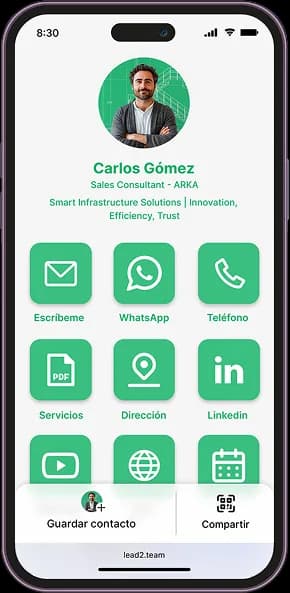
Every team, with its own card design
Customize your Digital Cards: create, save and apply designs by brand or team.
Modify headers, buttons and styles to reflect your company's style and corporate image.
Success stories
Leading brands already use it daily
Automotive, Insurance, Real Estate, Food, Consulting, E-commerce and many more.
 Automotive
«With Lead2Team we can offer direct contact with advisors and maintain a close, personalized relationship within the digital world»
Óscar Oñate
Brand Director · Jaguar Land Rover Spain & Portugal
View case
 Events
«It's a tool that lets me share my professional profile across all sales channels in a visually attractive and interactive way»
Joan Blasco
CEO · La Santa Pari
View case Automotive
«What I highlight about Lead2Team is that it brings a diversity of contact channels for our users, and lets dealerships manage certain leads with more agility»
Álvaro Fernández
Digital Marketing · Ford España
View case Consulting
«Lead2Team's widget has transformed the way we capture leads on our website»
Beatriz Lozares
Founder · Fluidea
View case Automotive
«Lead2Team lets us give visibility to the team of experts, which helps potential clients make better and faster decisions»
Claire Escartín
Chief Marketing Officer · Grupo LG Barcelona
View case
Frequently asked questions
- It is a corporate email signature that includes your professional details and a QR code linked to your digital card. When they scan it, the recipient goes straight to your up-to-date profile or your meeting scheduler.
- Yes. The signatures are responsive and optimized for Gmail, Outlook, and Apple Mail, on desktop and mobile. No broken images or distorted signatures.
- Yes. From the dashboard you create, standardize and distribute your entire workforce's signatures in minutes. Every email that leaves the company is 100% on brand.
- In one click from the dashboard you send it to the whole team. Each employee receives their signature with step-by-step instructions to set it up in minutes, with no technical support needed.
- They receive an email with their signature ready to copy and paste into their email client. No technical setup, no IT support. It's up and running in two minutes.
- More than 15 ready-to-use templates, previewed with each person's real details before you activate one.
- Yes. You can create several templates and assign the right one to each person or group. Ideal for multi-brand companies or those with different business areas.
- Tell it in natural language what you need — "change the button to corporate blue" or "add a button for reviews" — and the AI applies it instantly without breaking the design.
- Yes. The QR code is dynamically linked to the employee's digital card. If the details change, the QR code always points to the updated version — with no need to reinstall the signature.
- Yes. It includes an updatable banner to promote events, offers or content.
- Yes. You change it once from the dashboard and the next email anyone on the team sends already carries the new banner, without anyone having to do anything.
- Yes. The dashboard offers click and scan analytics — how many people access the card or interact with the buttons — with the option to export the leads to your CRM.
- Yes. You can add the legal notice and privacy policy directly in the template, so they appear in all of the team's emails automatically.
Still not sure if it's for you…
Here we explain it in 90 seconds.
You at the center
It all revolves around a single card.
Change one detail once and it updates across all your contact tools.

Digital Card
Your professional profile in one URL: contact, social links and a booking button. The hub the signature, NFC and wallet all feed from.
Discover →NFC Card
One tap and your contact jumps to the phone of the person in front of you. No apps, no typing.
Discover →Wallet
Your card lives in Apple and Google Wallet, always one tap away and updated automatically.
Discover →Team Card
Thousands of consistent cards managed in minutes, with centralized design and data.
Discover →QR Generator
Dynamic QR codes you edit without reprinting: change the destination whenever you want.
Discover →Web Assistant
A widget so visitors can reach you from the website instantly, through whichever channel they prefer.
Discover →HTML Embed
Embed live team cards on your website: save contact, call or message in one click.
Discover →Review Capture
Funnels happy customers to Google and complaints to a private inbox.
Discover →Your team's corporate signature, ready in minutes
No commitment, 7-day trial and no credit card.