Customize your Digital Cards to the fullest: save layouts, flexible headers and new button styles
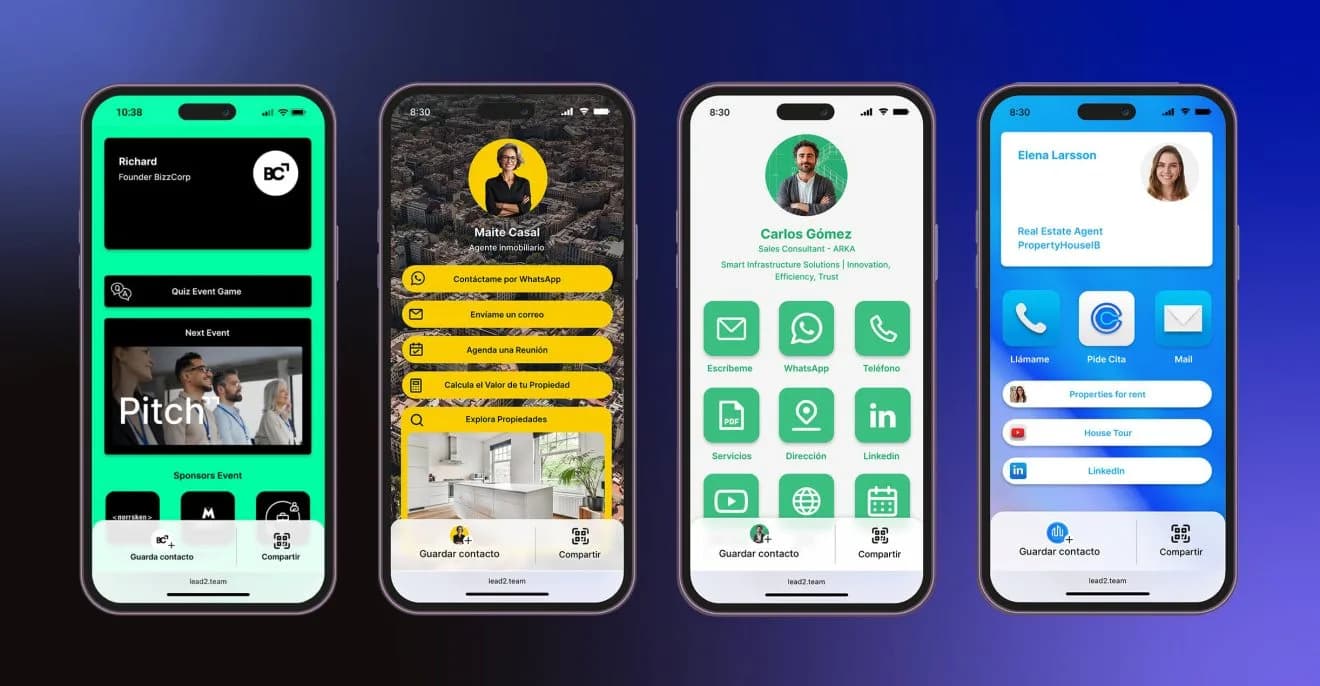
Discover the new Digital Card customization options: save designs, choose headers and create buttons with icons or images.
On our platform we keep working to give you a more flexible, visual experience tailored to your needs. That is why we have launched new features for advanced customization of digital cards, designed especially for sales teams that manage multiple brands, products or visual identities.
Customizable, savable Card designs
You can now create and save multiple Digital Card designs from the new Design section. This lets you reuse predefined styles, assign them easily to different teams or collaborators and keep visual consistency across each of your brands.
Do you work with different brands or products?
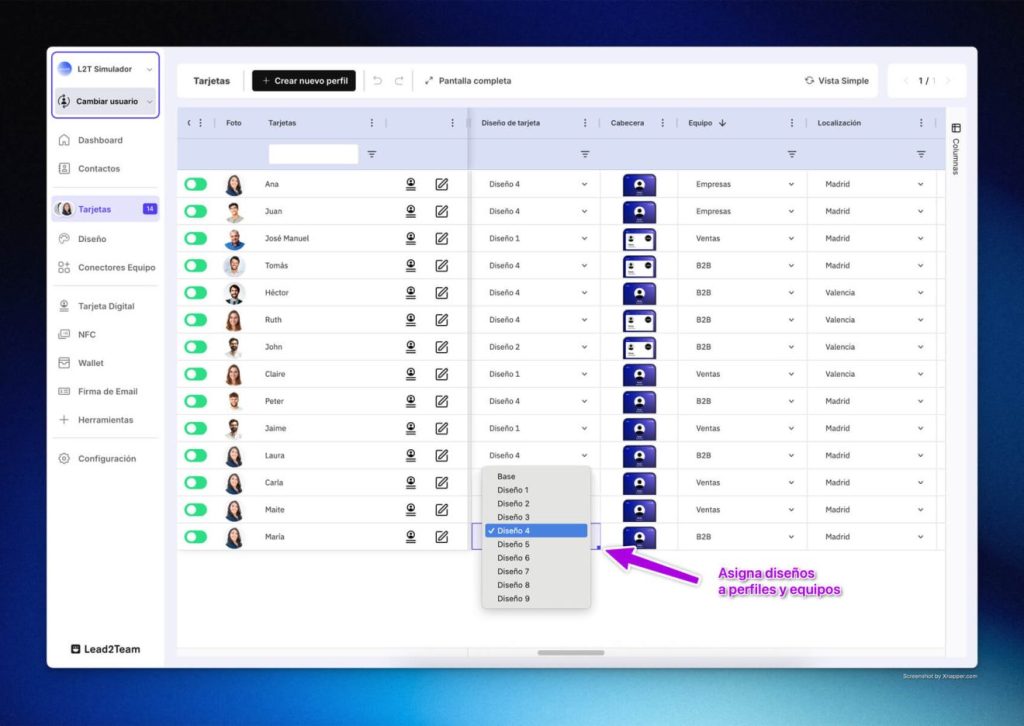
Assign a specific design to each team from the Excel-style view in Cards, according to the branding they need to convey. You can have cards with a different look & feel for different groups within your organization.
Visual management from the Excel-style view or the card profile
Thanks to the new "Excel-style View", managing your cards has never been easier. From this view or from each card's individual profile, you can:
- Assign a saved design to a specific card
- Switch easily between visual styles
- Keep full control over the branding of each team or user
Flexible headers for a professional presentation
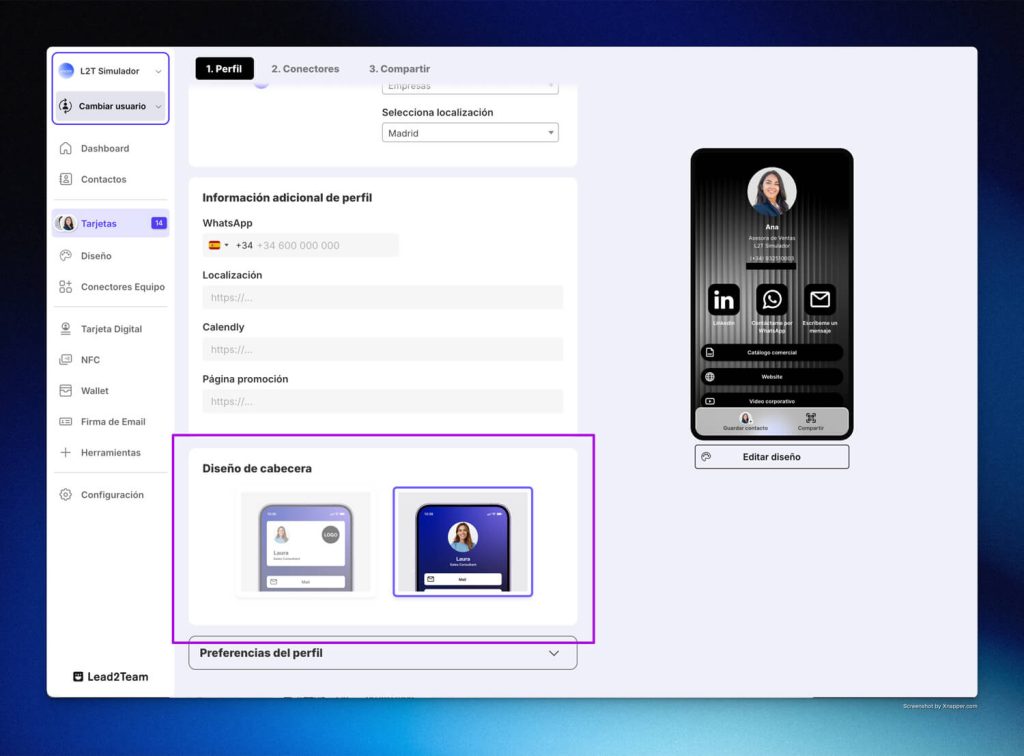
You can also choose between two types of header for your digital cards:
- Centered Visual Header: ideal for highlighting the profile picture, with a cleaner, more minimalist approach.
- Digital Card Style Header: perfect for showing more information, including:
- Profile picture
- Company logo
- Name and job title
- Personal or professional description
- Company name
- Phone, email and other contact details
- Extended biography, where you can detail your background, services or any relevant content.
Here are different examples of the same card with different custom designs:
Button styles: icons and images for greater impact
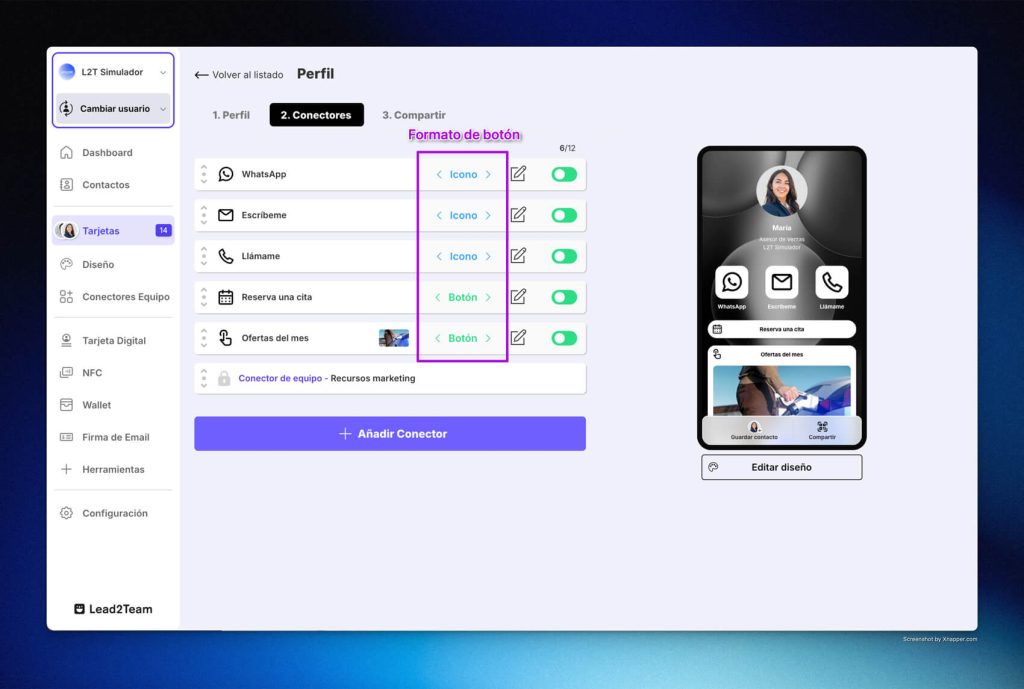
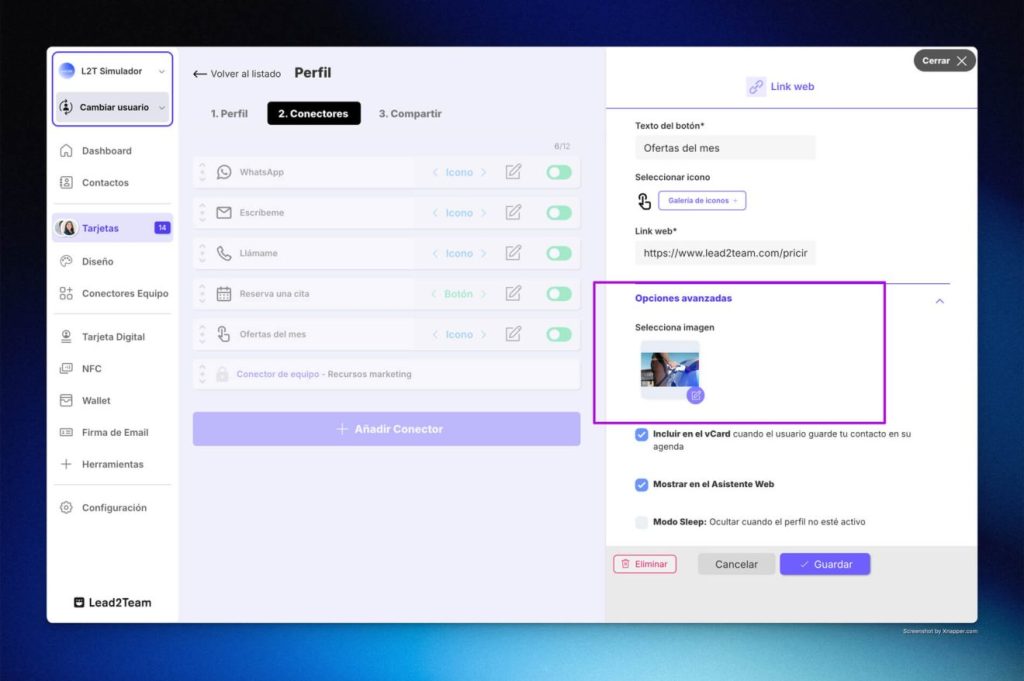
Another recent improvement is the customization of button styles within each card:
- Buttons with Icon: a clean, functional style, ideal for highlighting important links and mimicking navigation similar to a mobile app.
- Buttons with Image: lets you include featured images such as video thumbnails, presentations or any visual content you want to highlight.
This feature opens the door to endless design combinations, while keeping a clear, modern user experience aligned with your visual identity.
One platform, multiple customization options
These improvements are part of our commitment to giving you a more flexible, powerful digital card platform that adapts to any business need.
Ready to transform the way you share digital information?
Put it into practice with your team
Create your team's digital cards and share them in seconds, with full brand control.