Add your digital business card as a shortcut on your cell phone
Android 📱
- Open Chrome on your phone and, in the web browser, open your digital card (simply copy and paste your card's URL)
- Tap the menu and then choose the "Add to Home Screen".
- A screen will open where you can customize the name of your app. By default, it uses the same name and profile picture you use for Lead2Team.
- Tap "Add" and you're done. When you leave the browser you'll see that a new icon has been added to your home screen.
iOS
- Open Safari on your phone and, in the web browser, open your digital card (simply copy and paste your card's URL). It's important to use the Safari browser, since iOS doesn't allow it from Chrome.
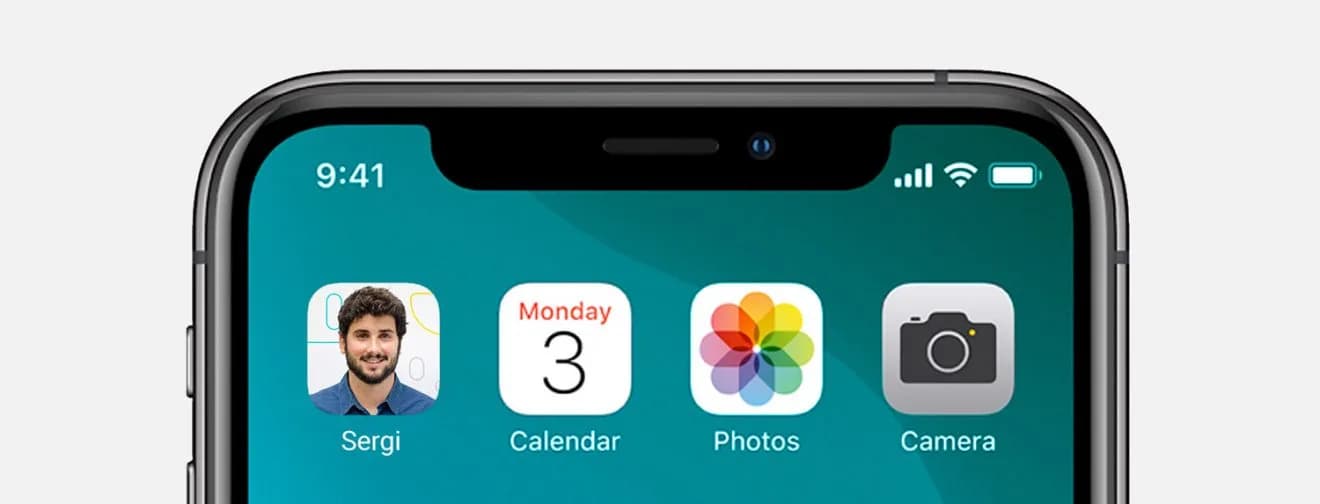
- Tap the menu and, in the Share panel, choose the "Add to Home Screen".
- A screen will open where you can customize the name of your app. By default, it uses the same name and profile picture you use for Lead2Team.
- Tap "Add" and you're done. When you leave the browser you'll see that a new icon has been added to your home screen.
I can't find the "Add to Home Screen" button on my iPhone
Some iPhone users may not see the Add to Home Screen option directly in the Share panel.
Solution 1. Scroll down
On some smaller iPhones, the Share panel is also smaller. In those cases, it may not be immediately obvious to users that they can scroll down to see more options. Simply scroll down until you see the "Add to Home Screen" option.
Solution 2: Open Safari
If you still don't see the Add to Home Screen option after scrolling all the way down and it isn't in the "Edit Actions" menu, you're probably not using Safari. Only Safari comes with that option. Other browsers, such as Edge, Firefox or Chrome, don't allow you to add web apps to the home screen of an iPhone or iPad.
Solution 3: Remove other PWAs
There is a limit on the total number of PWAs you can install on a given device. Try uninstalling other PWAs installed on your device and check whether that fixes the problem.
Put it into practice with your team
Create your team's digital cards and share them in seconds, with full brand control.