Tutorial: How to generate Google review link?

In today's digital world, reviews can make or break a business's reputation. Customer feedback is crucial to attracting new customers and maintaining a strong public image. Google Reviews is one of the most influential platforms for sharing these opinions, and making it easy for your customers to leave a review can significantly increase the number and quality of the comments you receive.
In this tutorial, we'll guide you step by step through generating the direct link you can share with your customers so they can leave their reviews on Google quickly and easily.
1. Sign in at https://www.google.com/business/
2. A list of your businesses will appear. Click on the business you want to generate the link for.
3. Your business page will open and a «Get reviews» button will appear. Click this button
4. A window will open with your Reviews URL. Copy it.
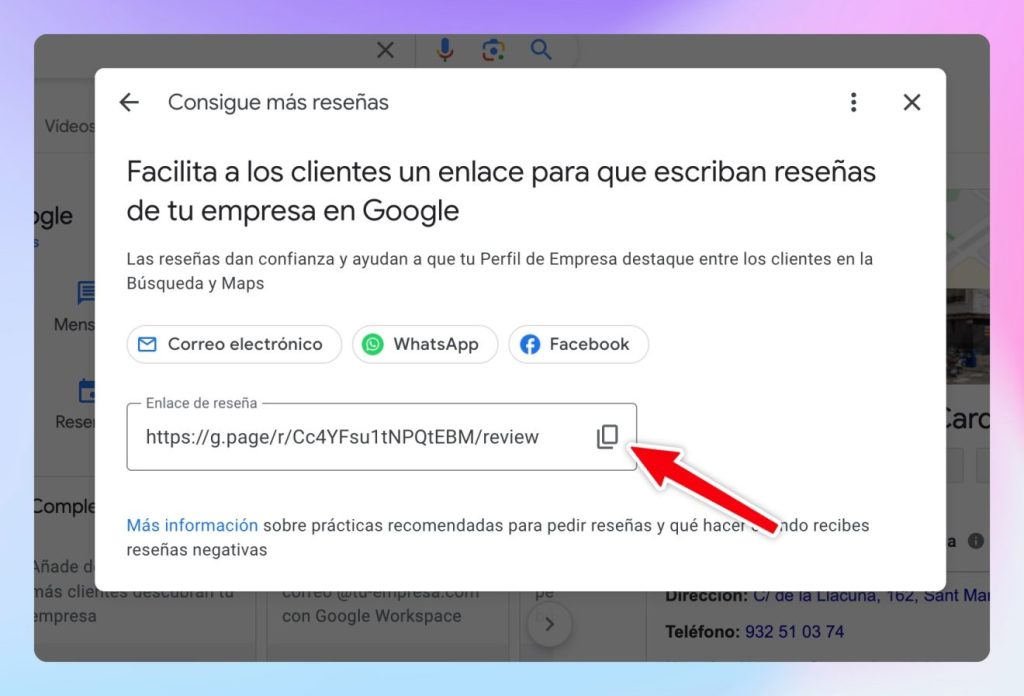
5. Finally, go to your Digital Card > Profile, paste the link and save.
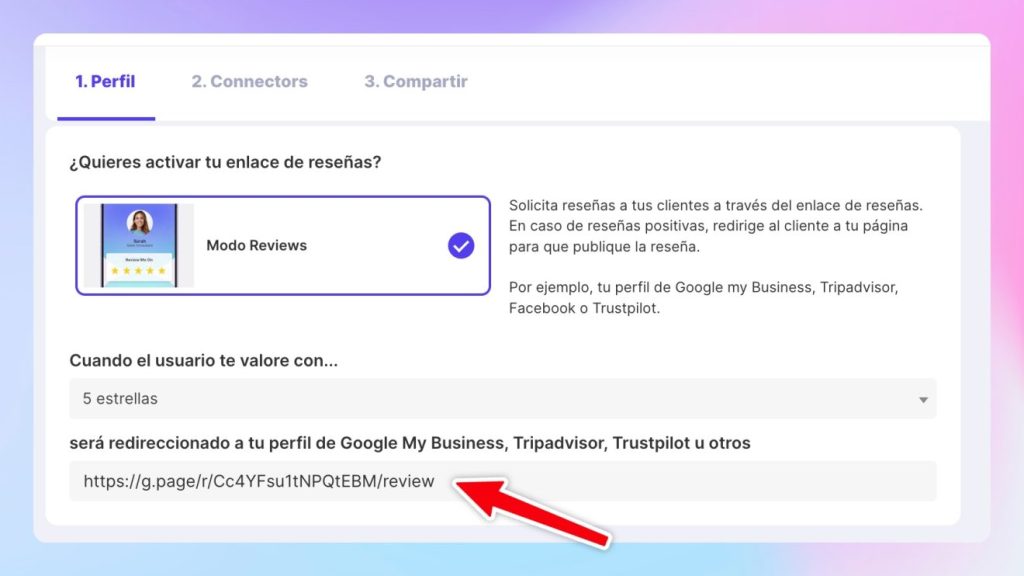
That's it! Generating the direct «Write a review» link is the simplest and most effective way to increase the number of positive comments your business receives. Making the review process easy for your customers will not only improve your local ranking, but also demonstrates your commitment to customer satisfaction.
Put it into practice with your team
Create your team's digital cards and share them in seconds, with full brand control.