Digital QR Business Card: The Future of Professional Presentations
A digital business card with a QR code is a card whose code, when scanned with a phone camera, opens your full contact profile in the browser — no app, no physical contact. You just show the QR — on your phone, an NFC card or printed — and the other person saves your details instantly. Sales teams use it to share their contact and capture leads at trade shows, stores and meetings.
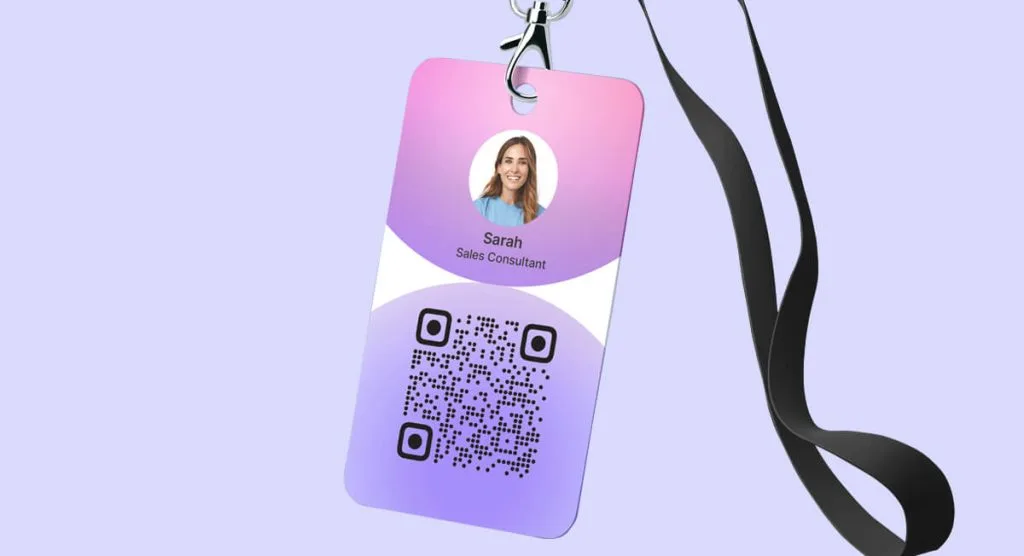
You already have the tools to design your digital business card from scratch, and you may feel that these cards are among the top marketing instruments for professionals or businesses, and you would be right. But there is still one element that, integrated into your card, will take its functions and your contact with clients and colleagues to the maximum.
Read on to learn about digital cards with an integrated QR code, their advantages, and how to create and use them to boost your networking strategy.
Create Your Digital QR Business Card
Designing a digital business card with an integrated QR code is really simple. After choosing a platform to be your ally in this creation and tracking process, you will need to:
Select a template.
From the templates the site offers, choose the one that best fits what you want to convey. You will find that some sites offer different types of templates with colors you can edit later on. The more pre-designed layouts you have available, the more you can play with your creativity.
Adjust the design.
Here you should consider the shapes, fonts, colors, and logo of your brand or business. I recommend drawing on colour psychology applied to marketing so that you present yourself appropriately. Also remember that sometimes less is more. Even though you can add elements and dynamism to your card, avoid overloading it as much as possible.
Enter your contact details.
This step is essential so that your clients can get in touch with you. Enter and verify your identification and contact details. Bear in mind that the people who access your card should understand at a glance: who you are, what you do or offer, and how to contact you.
Generate a code for your card.
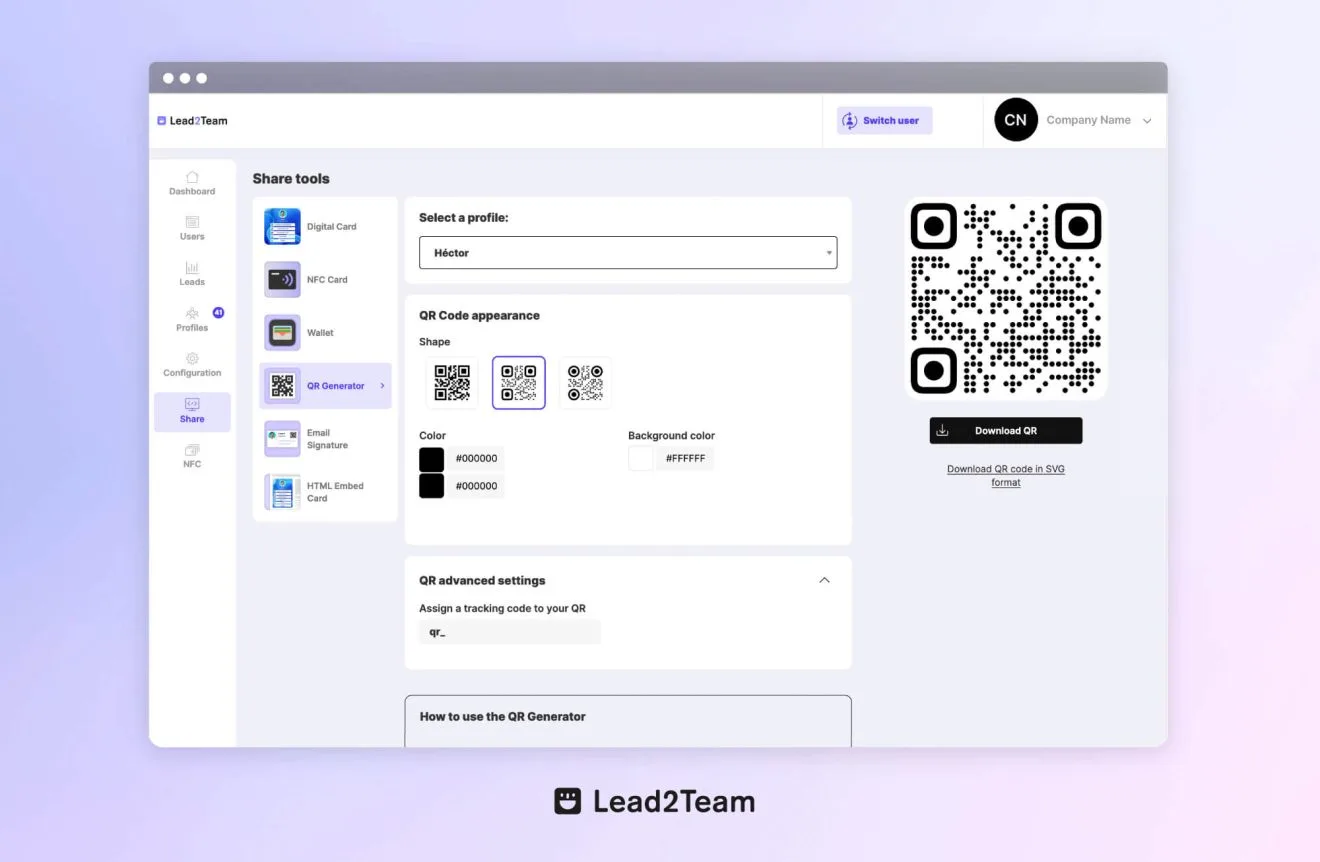
You will generally find this option in the section for sharing the card, on the same platform where you created and edited the design. The QR code will be created automatically. Now you can adjust the format of the code, the colours, shapes, background, add the logo, and more.
Download the code and start sharing.
Once the digital business card is ready and the code settings are complete, all that is left is to download it, integrate it, and share it. You will be able to download your code image as a .png file that you can add to the designs of different items (physical and digital) to share it with your audience.
Key advantages
You already know the advantages of digital business cards. You know that, in short, it is a conventional business card adapted to the digital world, with which your clients will have your contact details, name, and specialty. Now, let's look at the main advantages of integrating QR codes into this marketing tool:
Share your contact details quickly
Your contacts simply need to open their device's camera to scan your card. And they don't even have to look for your social profiles or access your card through another virtual channel. They just scan the QR code on your digital business card and the device will show them your digital card, contact details, important links, and more. And, most importantly, at this step they can save your contact in an instant with no extra steps, just one scan and one click, and you will have a new contact for your business.
Easy to update and edit
I consider this one of the most important advantages. Whereas before you had to update, reprint, and start handing out your business cards again, now you only need to update your digital QR business card from the design page, and immediately all your clients, new and old, will access your updated details.
Integration with digital tools
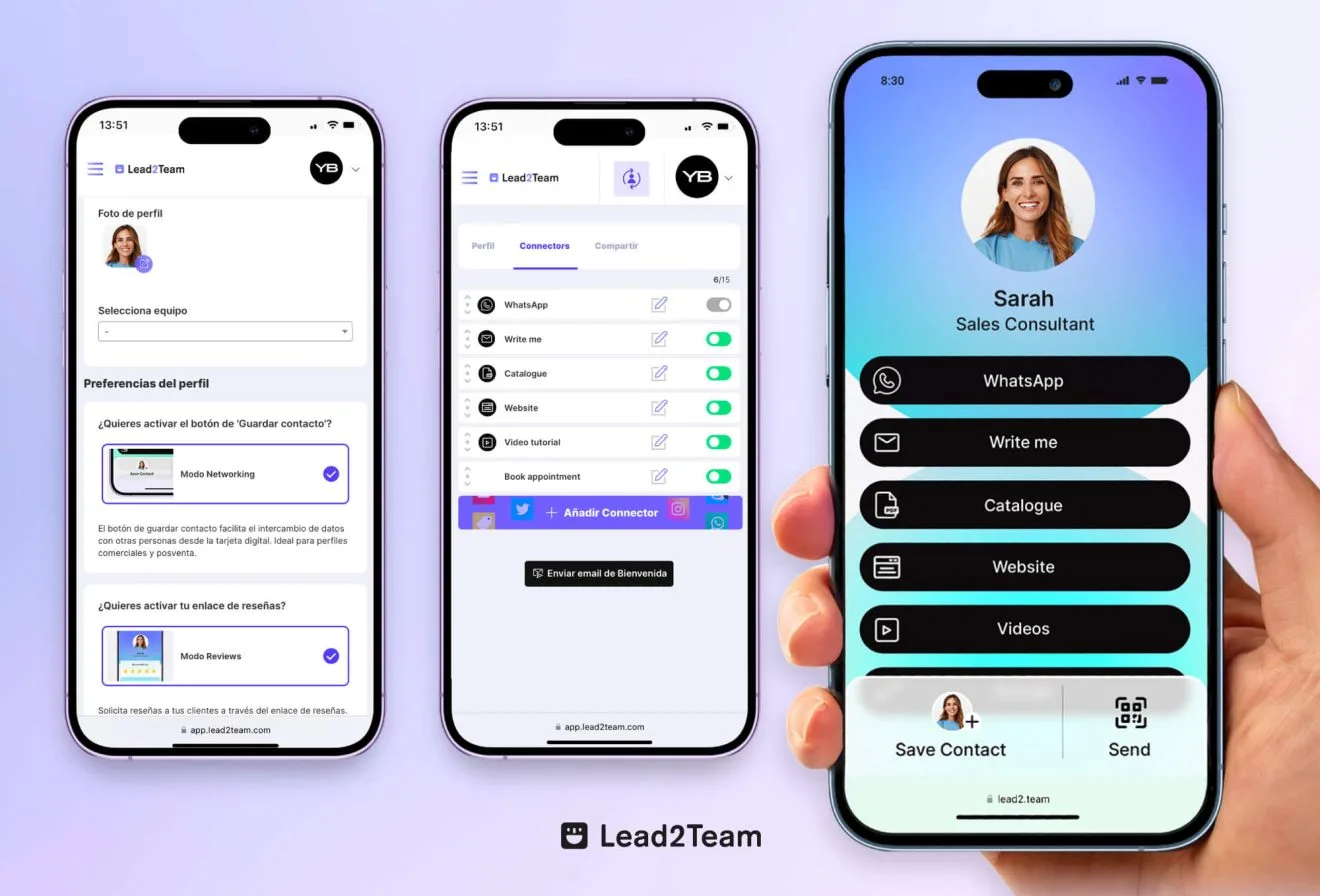
Another of the wonderful advantages of bringing traditional elements into the technological era is that they go beyond the physical. On your digital QR business card, you can integrate other digital tools such as your calendar of available appointments, instant calls, WhatsApp chat, social networks, website, catalogue, promotional videos, and much more. This way, with a single scan, your audience can get to know your brand in depth with no downloads, extra steps, or any manual intervention.
Cost reduction
Let's say you used the help of a designer to create your digital card at the start. Once you have the card, with its functions, details, and so on, on your design platform (or the one you use to create its link and distribute it), you won't have to buy design software or call anyone to update it. Nor will you have to re-hire the service, reprint when you run out, or anything of the sort. You just go into the site, edit, and that's it, it's updated.
How to create and customize your QR business card
You already know the benefits of creating a digital business card with an integrated QR code. Now it's time to get to work and design it to make it effective. Further on, I'll give you some tips to distribute and use it efficiently. But first, you should know how to make a digital business card with a QR code and how to design it to send it to your audience. Let's look at the key steps you should follow:
Create your digital QR business card with Lead2Team
We've already made clear that the first step to creating a great digital QR business card is choosing a platform that offers everything you need, from design tools to integration elements and data analytics. So we'll show you how to make a vCard with a QR code with Lead2Team, which is undoubtedly one of the most complete platforms available today, with the best prices for merchants and professionals of every size:
- Sign up on the platform.
Go to the Lead2Team site and click the Create your account button. Fill in the form with your company details. Enter the name, email, country of origin, and create a password. Verify your email and you'll be able to log in to the site to start designing.
- Create a card.
Log in to your account by clicking the Login button at the top of the screen. In the left-hand menu, go to the Agents section and start creating as many cards as you want. Enter the names, contact details, and roles of each agent and click Create to continue.
- Start designing.
When you create each card you'll be taken to the connectors section, to add the buttons you want, from Send message to Book an appointment. Add, enable, or disable connectors as you need, go to the Share section and click Edit design. Add a logo or colour code, change the template, the colour effects, and the shape of the buttons.
- Integrate a QR code.
Once the design is finished, continue with the code to finalize and share your digital QR business card. Go to the Share section, then to QR Generator. There you'll find the code to access your card, which will be created automatically. You can edit its design by changing the shape of the code, its colour, or the background colour as you wish.
- Download your code.
Done! Click Download and start integrating your code wherever you want. Physical items such as your product packaging, your ID badge or conventional business card, even a menu for your restaurant! You can also add it to social media posts, statuses, or stories so they reach more users.
Advantages of creating your digital QR business card with Lead2Team
These are the advantages of using the Lead2Team platform as a tool to create and manage your digital business card:
- A platform that's friendly to new users.
- Online support 24/7.
- A variety of templates, connectors, and tools.
- Several ways to share your card.
- Lead and click analytics in one place.
- A no-commitment trial and affordable plans.
Tips to make your card more attractive and functional
Here I share some tips to make your digital QR business card an element that truly engages your audience and fulfills the functions you and your business need:
- Add a photo. Whether it's the business logo or your face, people like to know they're buying from a human, or from a serious, professional business. These images add personality to your card, and that will always matter when it comes to selling, regardless of what you sell.
- Take care of your elements. Sometimes less is more. Just because the site lets you load 1,000 connectors onto your card doesn't mean you should add them all. Give priority to the ones that matter to you, and make sure they are aligned with your business's current goals.
- Ensure harmony. Make sure the colours, shapes, and typography you use go hand in hand with your brand image, so it's easy for users to associate your card with you and what you offer.
- Use visual content. Images, videos, or catalogues that show your products or services at a glance. Try to use real photos of your products or the results they guarantee.
- Testimonials section. Some products or services are better sold with words than with images. Offer your clients some incentive for letting you use their testimonial on your digital card. A good review can be the difference between you and your competition.
- Listen to your audience. Ask your visitors what they think of your card and listen to their suggestions. This means that any change you apply will have been suggested by the very audience you want to reach, in other words, it's more likely to work than blind trial and error. It also builds rapport and improves your relationship with those users.
Tips for efficiently distributing and using your QR digital business card
All right, the back office work is useless if the product doesn't reach the market. In other words, if you put a lot of work into the design but don't share your digital QR business card, it's unlikely to deliver results. So here are some tips to distribute your digital QR business card and put it to efficient use:
Networking
At work meetings, conferences, client presentations, or simply when you meet someone new who might be interested in your products or services, or who seems like a good ally for the future, show your card. Keep it in your favorites on your phone (or even as your wallpaper for those moments) and, when you introduce yourself, share your card. Ask the other person to scan your screen, and that's it! A great first impression in an instant.
Add it to your email signature
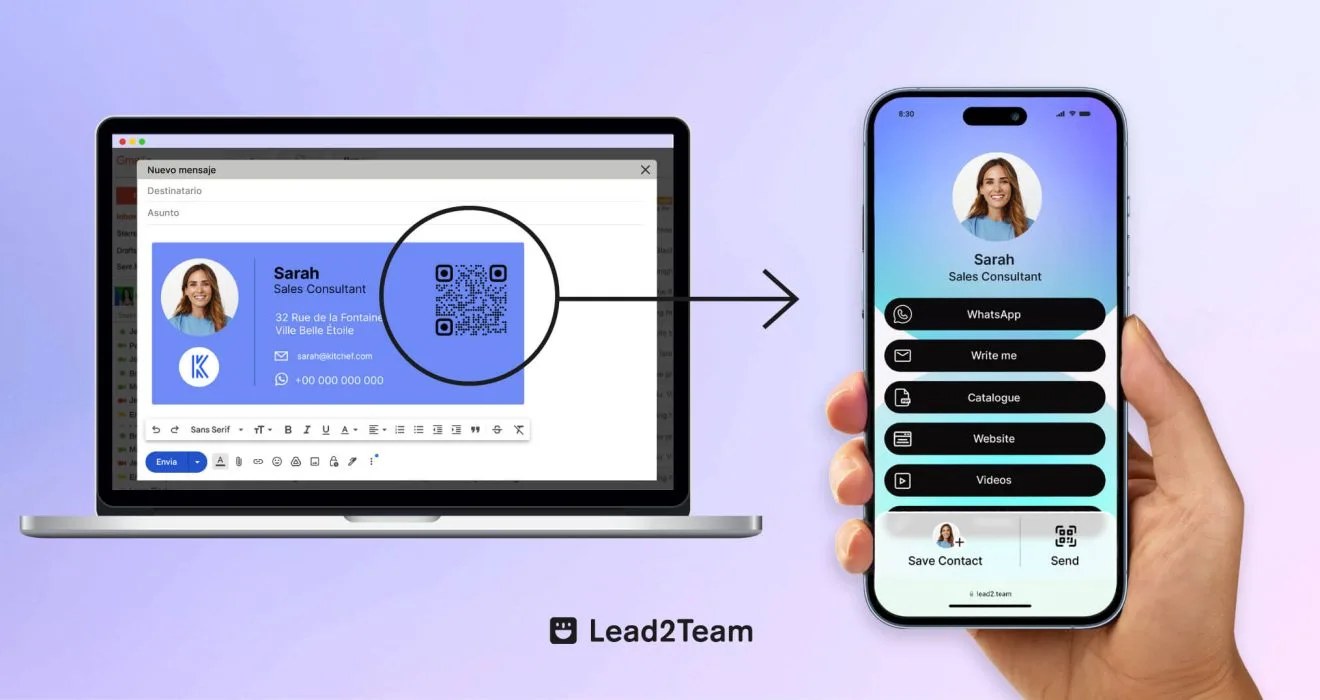
Design an email signature that harmoniously incorporates the QR code of your digital business card. That way, anyone who receives an email from you will have immediate access to your contact details. What's more, if you set the signature as a default configuration, you'll be spreading your card every time you make any kind of contact. Clients, colleagues, service providers. Any email will turn into a Lead and a potential sale.
Background for video calls
Imagine the impact of joining a virtual conference with your digital business card and its QR code behind you. Your contact details will be visible to all attendees, and you'll even be able to share information you have on the card by using it as a reference. Such as videos, catalogues, links, and more, telling attendees to scan the QR code with their phone. You'll achieve a very professional image with this element.
In physical establishments
You can make great use of your digital QR business card both in establishments and on physical items. You can print the code on an acrylic or glass sign, integrate it into rotating screens, menus, printed signs, centerpieces, or cups. If you're a shop, you have many ways to spread the QR code of your digital business card, such as on purchase cards, product labels, or even the packaging, bags, or boxes in which you deliver your products.
There are many advantages to using a digital business card to promote yourself, your products, or your services. Stay with us to dive deeper into what a digital QR business card is.
Related articles
Put it into practice with your team
Create your team's digital cards and share them in seconds, with full brand control.