How to Make a Digital Business Card with QR Code
To make a digital business card with a QR code: create your contact profile, add your details and links, and generate the QR that opens that card when scanned. The result is shared by QR, link, NFC or email signature, updates in real time and needs no app on the other person's side. Teams set it up in minutes from a central panel.
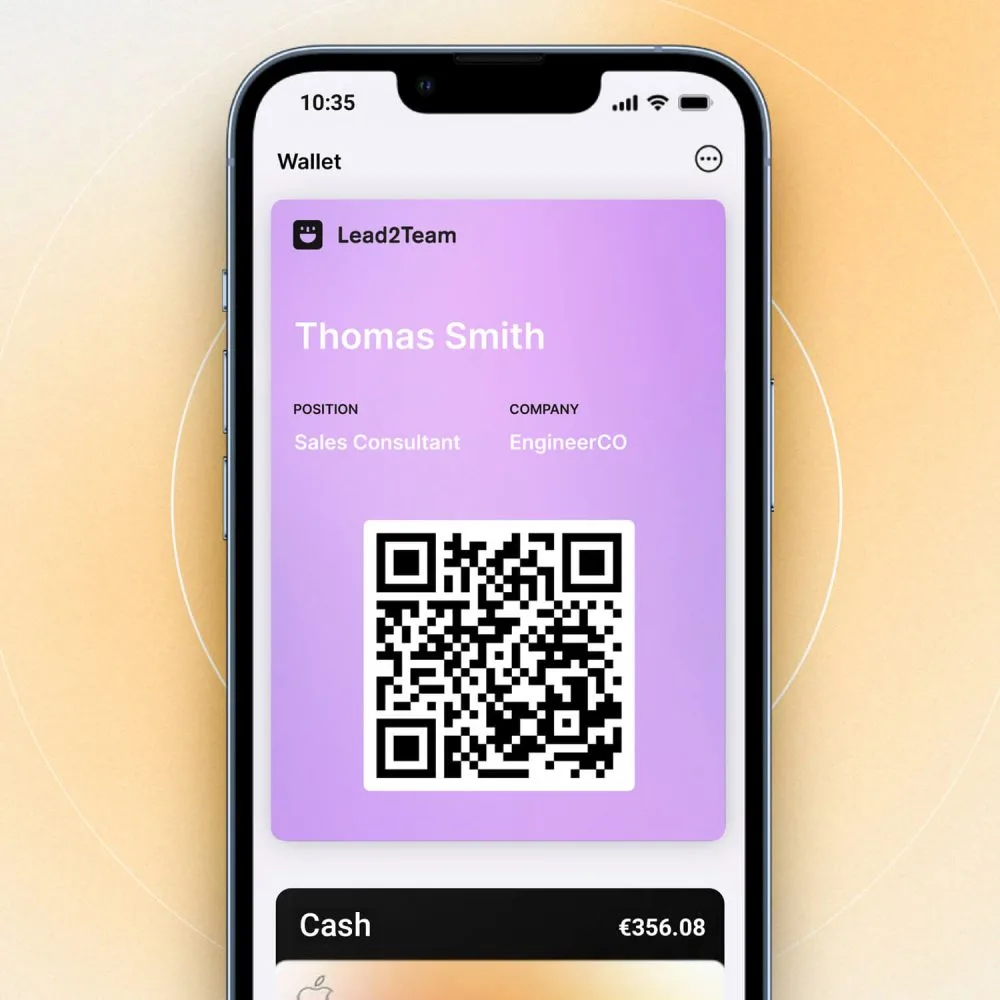
With the speed at which the digital world moves, practically all of us have had to keep up. For this reason, having a digital business card to present yourself to the world is now essential. This way, sharing information about what you do or your company comes down to a single click, making the complex task of networking far easier.
So why not reduce the simplicity of this method to a single QR code? This is one of the strategies used by the most successful companies worldwide today. Read our guide to learn how to make a digital business card with QR in just a few minutes.
Digital business cards with customizable, trackable QR codes
In the past, the most prominent business leaders and professionals were constantly handing out their business cards. A great deal of effort went into adding valuable information to them; however, things have changed dramatically.
It is no longer worth including a lot of data only for it to be discarded by the reader. That is why QR code cards have arrived — an ideal way to direct visitors to a site with all the information you want to share.
If you are not very familiar with them, all you need to know is that they are a method for accessing a file quickly. These codes appear as a white square with abstract black shapes inside. It is precisely this abstract design that turns it into a code, which can be scanned and used by practically any smartphone, regardless of its range.
Beyond making access easier for the reader, they let you include several links in a single code, which can be very useful if you want to keep everything well organized and guide your target audience through the information you provide. In this way, it is already a vastly superior method to the limited traditional cards.
Another application of this type of card is for those who work in digital trades or jobs. It is therefore a highly functional method for showcasing graphic design work, programming code or even a simple résumé of your professional background.
It is worth noting that the benefits of using QR do not end here. You can also attach new codes to the same main link, turning it into a medium that links to projects, references or supporting material you want to share.
Step-by-step guide to creating your digital business card with QR
Now that you know what a QR card is, all you need is to learn the process to create one for yourself. There are plenty of sites that offer this kind of service; however, you should not use any of them without reviewing it first.
Here we explain the step-by-step process you should follow to create your business card with QR using Lead2Team, our current favorite in terms of resources, new features, support and price. The first thing to do is go to the official site and create an account to start designing. Then, continue with these steps:
Step 1: Create your digital card in Lead2Team
To create your card with Lead2Team, log in to your account and create your team members' profiles. Enter their details and add connectors to link the digital business card with different platforms. Then you can adjust the design settings, such as colors and shapes. And to create the QR code, go to the share section, under QR Generator. The code is created automatically, so you only need to handle its aesthetic settings.
Step 2: Customize the QR's appearance
Here, you can adjust your code's design, change the shape of the squares to make them less rigid, and adjust the colors of both the QR and the background so they are consistent with the colors of your card and your brand.
Step 3: Download the QR
Now all that is left is to choose the download format and share your code. Here you can choose between .png or .svg to add it to the design of different key materials such as cards or badges.
Tools for sharing your QR
There are several ways to increase the exposure of your QR code. Among them, some of the most appealing are using it in video calls, adding it to your digital card, sharing it on social media, and so on. Below, we explain in detail how each of these strategies works:
Virtual background for video calls
It may sound odd, but it is far more effective than it seems. Adding a QR code to a video call background, whether for Zoom or Google Meet, can be a good strategy to attract more customers.
This system simply consists of adding your code onto a background, whether a public one or one for your company's presentations. This way, you will be inserting an easy-access route so your viewers can start interacting with the information you want to offer them.
QR connected to your digital business card
As we mentioned in other posts, your code can also be included on your digital card. This is an ideal strategy if you are looking to segment the information for your audience while providing far more order.
At the same time, this digital card should always be connected to its own QR code, presented physically. That way, simply receiving and scanning your card is enough to access hundreds of details about your profession and/or company.
Email signature
Another very eye-catching option is to insert it into every email sent by your personal brand or company. It is a very efficient way to share your information directly with the audience interested in what you offer the market. This way, access to your links and good engagement with your audience are practically guaranteed.
Social media
The most basic of all strategies is posting it on social media. Through this channel you open up the possibilities to the maximum, letting people who are interested — or not — see your code. This tool is perfect for those just starting out in the professional world who simply want to get as much engagement as possible.
Tips for distributing and maximizing the impact of your digital card by industry
Depending on the sector you are part of, you will need to make a series of changes to your card. The reason for this is mainly related to how you can maximize its distribution based on your target audience. Here we share some tips to improve the visibility of your digital business card during distribution for the most common targets:
Real Estate
In the real estate market, using digital cards is one of the most powerful tools you can have on your side. The best way to use them is by including images and information about each of the properties you offer in your catalog.
It is very important to correctly segment the data entered on your digital card as a real estate agent. In this case, including information about your résumé or previous experience will not be that relevant. What really matters here is showing the client everything you have to offer in terms of properties with highly detailed images.
Lawyers
As a lawyer, elegance should reign in every corner of your career, and your digital business card is no exception. Ideally, you should include information about your professional development. Here you can give a small demonstration of what you have done and how you have worked in the past.
In this case, it is very important to try to distribute your card at every direct contact with your clients. Ideally, we recommend using your QR code in your virtual presentations if you take part in professional conferences.
Franchises
In a company, it will be extremely important to include your card whenever you can. For this reason, all strategies can be perfect if the goal is to maximize your visibility. The best of all may be to include it on social media, since through this channel you will let anyone know what your company is all about.
Automotive sector
The automotive world can be considered very similar to the case of franchises. However, this time it will be far more interesting to contact directly those people who are genuinely interested in these topics. So, including your card as an email signature can be the right path.
Additionally, I advise you to include all your catalog details on your digital card. You can insert images, descriptions or even some information for those less familiar with this world.
Advisory and management firms
As an advisor, your mission will be to reconnect with all your previous clients. For this reason, including your card in every email will be a practically mandatory method when interacting with your clients or in informational video calls. It can also be worthwhile to post your card on social media to make your services known among an unfamiliar audience.
Regarding the card's design, here I recommend including information about your services as professionally as possible. You can include information about past projects or give a brief overview of what you do as an advisor along with its benefits.
Insurance
A digital card for insurance must necessarily include as much information as possible to give confidence to the reader. Include details about the coverage, terms and limitations of the policy.
As for how to share it, there is no barrier of any kind here. The more channels you use, the better the visibility and acquisition of potential customers with your digital business card.
Related articles
Put it into practice with your team
Create your team's digital cards and share them in seconds, with full brand control.