How to share your Digital Card without Internet?
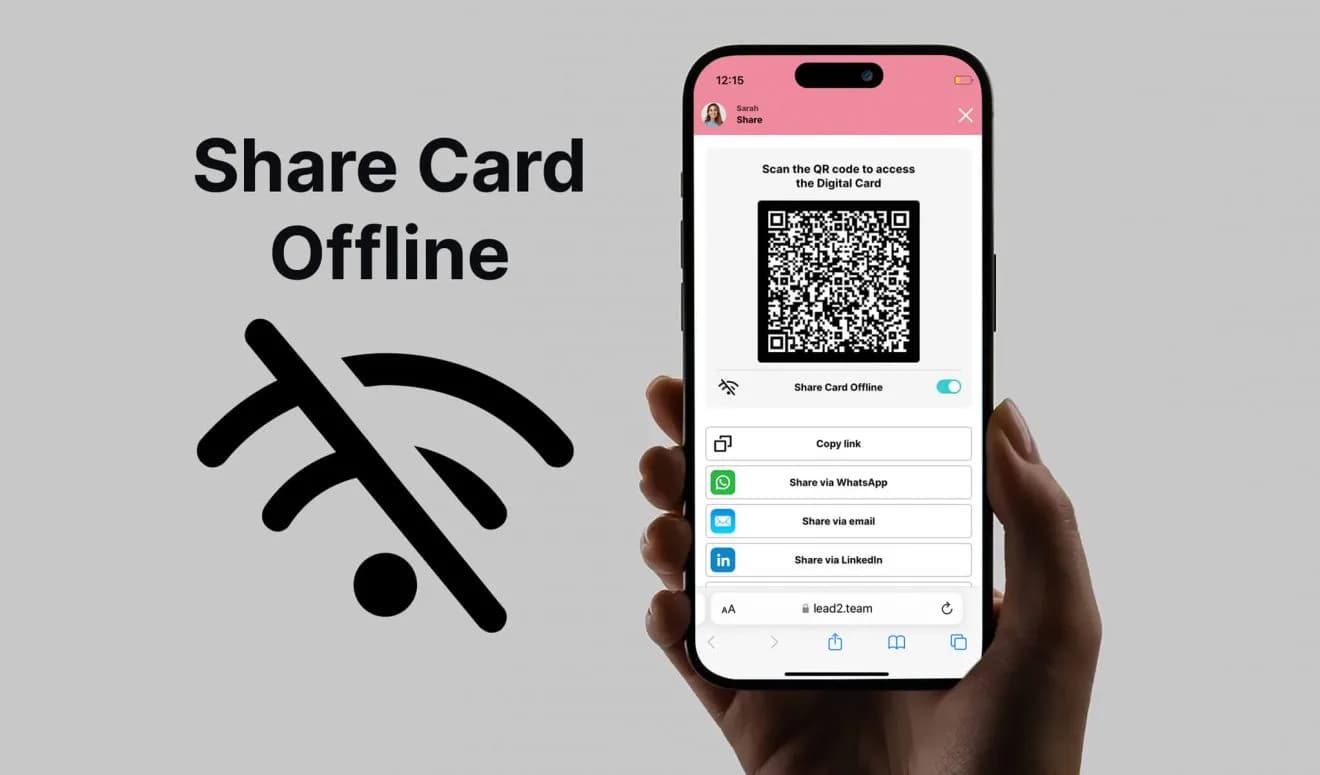
We're used to having internet access 24/7, but there are places where the connection can be unstable or non-existent. Lead2Team's digital card, although it requires internet access, includes an Offline Mode feature. This feature is a real game-changer in the world of networking. Here we explain how to activate it and how it works.
Activating Offline Mode in Lead2Team
Activating Offline Mode on your Lead2Team digital card is quick and easy. Follow these steps:
- Access your digital card: Make sure you have the quick-access shortcut downloaded to your mobile phone's home screen. We explain how in our video tutorials.
- Tap the Share button: Located at the bottom of your card.
- Select «Activate offline mode»: This will automatically update your QR code so it works without Internet.
- Share your updated QR code: This special QR code lets whoever scans it download your contact details directly to their phone.
How Does It Work?
When someone scans your QR code in Offline Mode, your contact details are automatically saved to their address book, including your name, phone number, email address and the link to your digital card. When that person is back online, they'll be able to open the link and see your full card.
Practical Example: Networking at a Trade Fair
Imagine you're at a trade fair with weak Wi-Fi and an unstable internet connection. It's the ideal place to network, but sharing your information can be a challenge without a connection.
- Preparation: Before entering the venue, activate offline mode on your Lead2Team digital card. Now your QR code is ready to work without Internet. You can even take a photo of your QR code and save it to your phone's gallery, accessible without internet.
- Interaction: During the event, share your information by showing the QR code.
- Scan and Download: Every time someone scans the QR code, your contact details are automatically downloaded to their phone.
- Later Access: Once these contacts have internet access again, they'll be able to use the saved link to view your full digital card.
At Lead2Team, we understand how important it is to stay professionally connected at all times. Whether at trade fairs, networking events or any situation with limited connectivity, Offline Mode ensures you never miss an opportunity to build valuable connections. Make the most of this feature and take your networking to the next level!
Put it into practice with your team
Create your team's digital cards and share them in seconds, with full brand control.