Digital business card: examples, designs and templates
A good digital business card combines a photo or logo, contact details, links and a save-contact button, with a design consistent with your brand. Below you'll find examples and templates by sector for inspiration. With Lead2Team you define a corporate template and apply it to the whole team's cards from one panel.
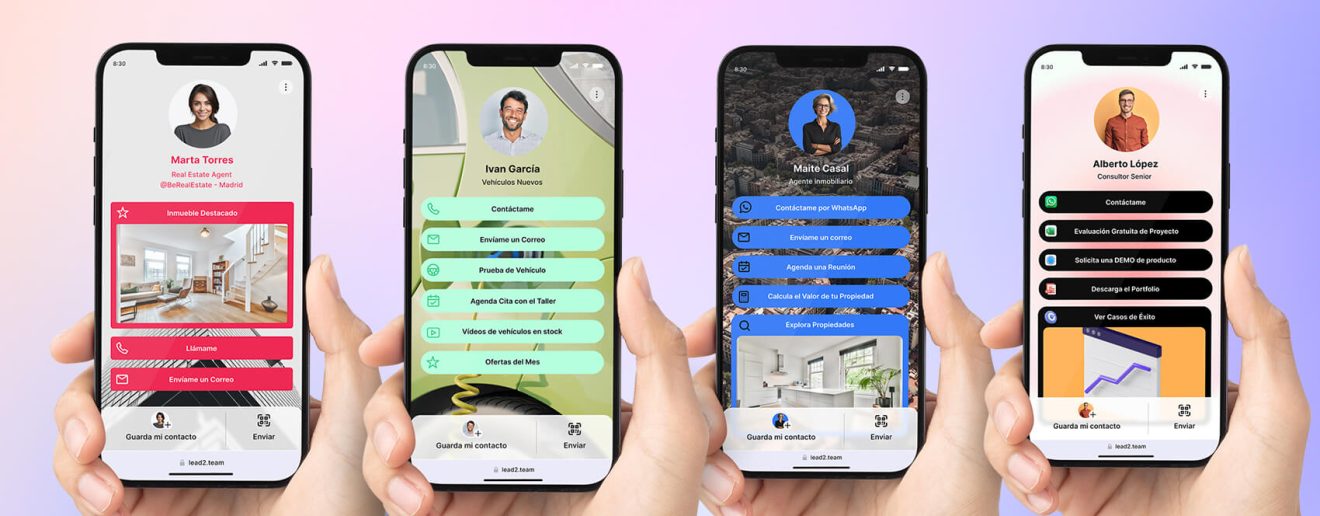
A business card, whether in its paper, digital or NFC version, has one main goal: to provide our contact details so that the person who receives it can save them and use them to call us, send us a message or an email. However, when we talk about digital business cards, we can explore other resources that deliver a greater return from our client relationships.
If you work in sales and marketing, you probably spend a lot of time networking, attending trade shows and meeting clients. Keep in mind that every time you give your card to someone, that same person is also receiving cards from other new contacts, including your competitors. That is why you should think of your digital card as a powerful tool to leave a mark, so that when the other person needs the services you offer, they think of you.
What information can you add to your digital business card?
Depending on the digital card platform you use, you will have more or fewer options to include information about your company. Here is a list of the most relevant ones:
- Name and profession
- Profile photo
- Contact information: phone, email, WhatsApp.
- Link to professional social networks: LinkedIn, Twitter.
- Link to your personal or company website
- List of featured services or products.
- Call-to-action buttons (CTAs): Make immediate contact easy with buttons such as «📞 Call Now» or «📧 Email Me».
- Video testimonials from satisfied clients
- Certifications and credentials
That said, let us delve into the best digital business card design ideas for different industries and businesses.
Video tutorial for creating a digital card
In the following video, Patricia explains step by step how you can create and customize your business card in digital format.
Step-by-step guide to creating your digital card [UPDATED 2024] Watch on YouTube
Examples and designs of digital cards for different industries
1. Digital card for real estate
Real estate agents face significant challenges today, especially when it comes to prospecting for new properties to sell.
To do so, they need to work on their image and position themselves as a respected, trusted figure in the market. The successful real estate agent knows they have to make the most of marketing.
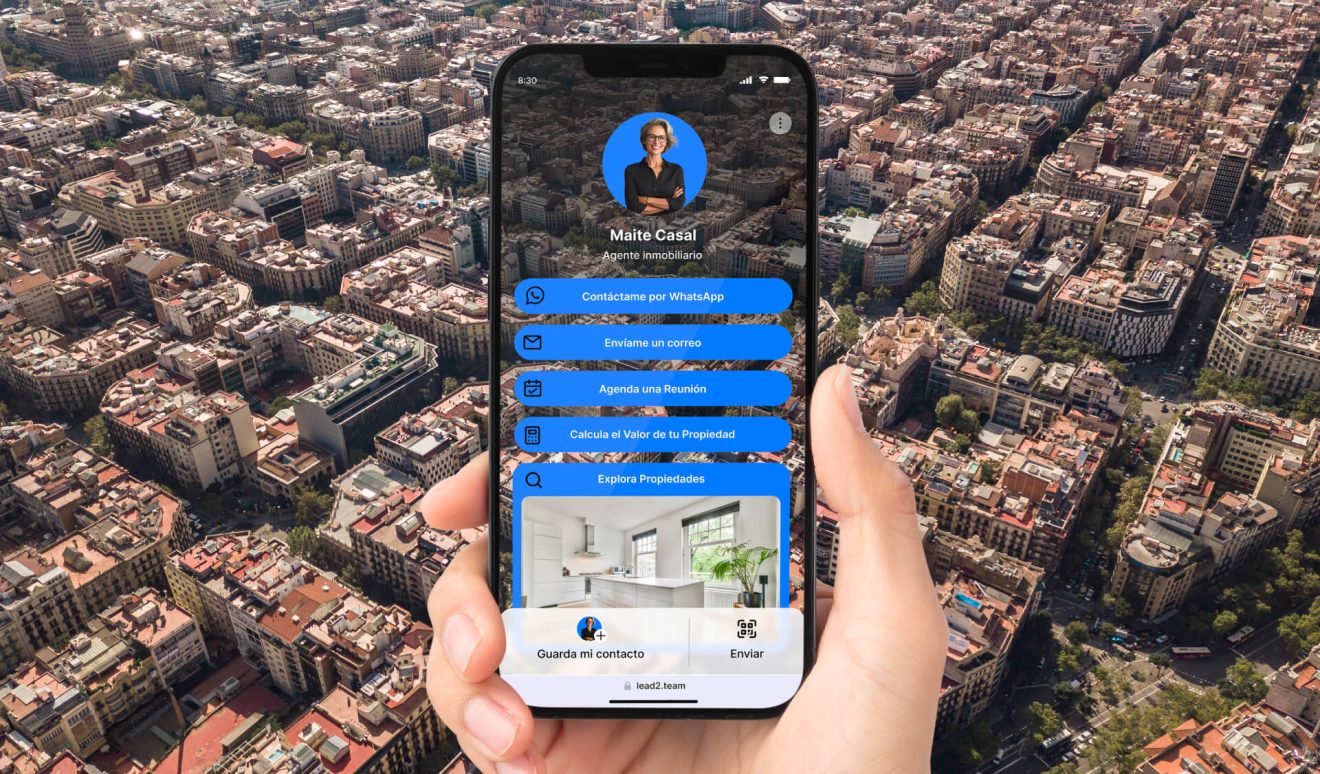
✅ Key elements for a digital business card for the real estate and property sector:
Viewing scheduling and virtual tours
- Makes it easy to schedule property viewings, improving the client experience.
Mortgage calculators
- Offering useful tools such as a mortgage calculator helps buyers better understand their financial options.
Valuation with no commitment
- This CTA attracts owners who are considering selling their properties by offering them a professional valuation with no commitment.
Market trends
- Providing valuable market information can attract owners interested in selling at the right time.
2. Digital card for the automotive sector
One of the biggest challenges for dealerships is clearing vehicle stock. Keeping cars in inventory for too long can be very expensive.
The sales rep needs leads and needs to build customer loyalty. Their goal is not only to close the sale of the vehicle but to have the customer come back to the dealership whenever they need after-sales service or maintenance for their vehicle.
The digital card helps them start a much closer and longer-lasting relationship with the customer. There are even digital cards, such as Lead2Team, that offer a review capture tool so the sales rep can ask customers for reviews.
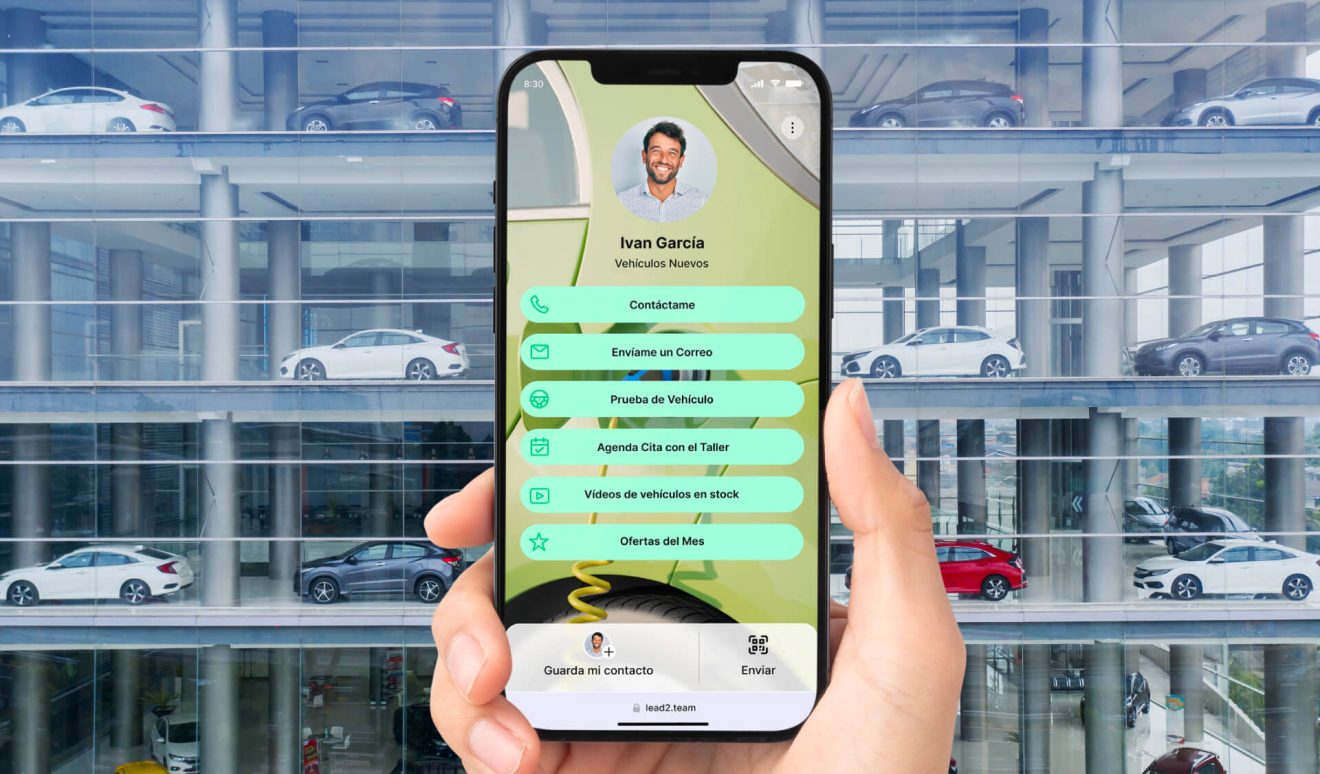
✅ Key elements for a digital business card for the automotive sector:
Test drives and dealership visits
- Encourages customers to come to your dealership through test drives and lets them schedule visits directly with a sales advisor, whether in person or by video call.
Workshop appointments
- Makes it easy to schedule maintenance services, improving customer satisfaction and loyalty.
Videos of vehicles in stock
- Provides engaging visual content to catch the attention of the most interested and committed customers.
Financing calculators
- Helping customers understand their financing options, which can speed up the buying process and strengthen the relationship with the dealership.
3. Digital card for banking and insurance
In the banking and insurance sector, trust and credibility are essential. People will connect and work with you only if they trust you. A well-designed digital business card can help you build that trust, generate leads and keep customers engaged.
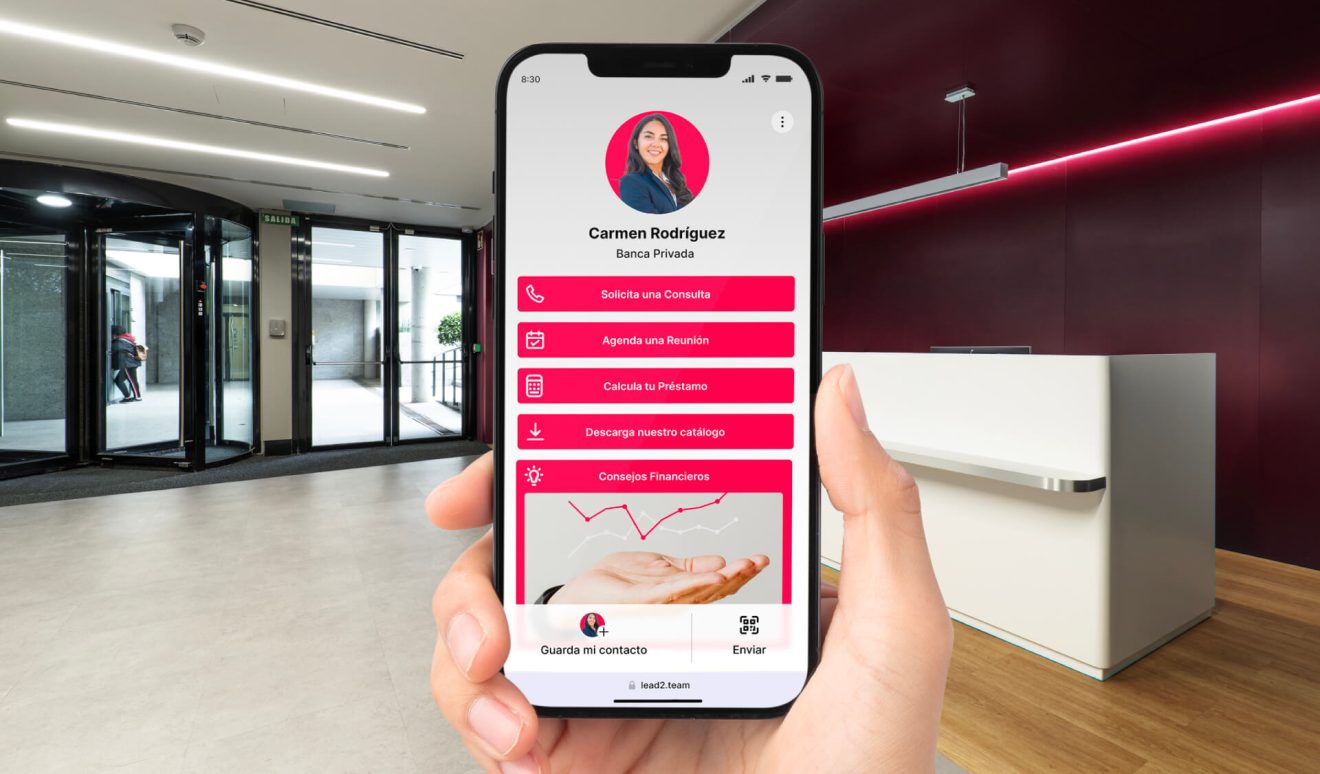
✅ Key elements for a digital business card for the banking, finance and insurance sector:
Appointments and consultations
- CTAs such as «Request a Consultation» and «Schedule a Meeting» make ongoing interaction with clients easier.
Financial tools
- Offer loan calculators and insurance quotes to attract and retain clients.
Educational content
- Provides access to financial tips and blog articles to keep clients informed and engaged.
4. Digital card for consulting, software and IT
In the consulting, software and IT sector, competition is fierce. A well-designed digital business card can help you stand out and communicate your skills and experience in your field.
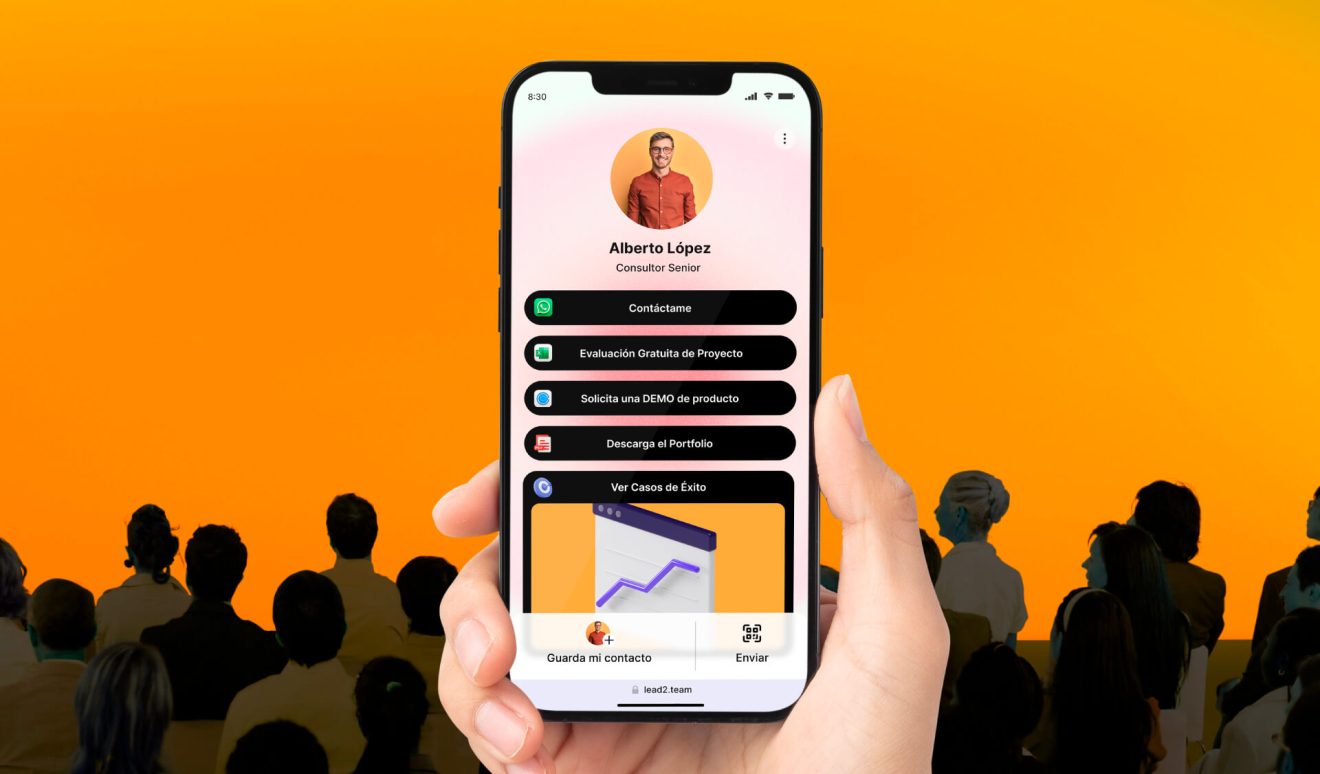
✅ Key elements for a digital business card for the consulting and IT sector:
Portfolios and service catalogs
- Lets clients see completed projects and use cases.
Product demos
- Offering demos of software products or services helps capture the attention of interested clients. You can include them in video format.
Certificates and credentials
- Showing your certifications and credentials helps establish your authority and trustworthiness in the sector,
Consultation scheduling
- Makes it easy to schedule business consultations, enabling direct, personalized contact with potential clients.
5. Digital card for weddings, events and travel
Professionals in wedding planning, event management and travel planning have plenty of visual content to offer. Images and videos play a vital role in attracting and capturing the attention of potential clients.
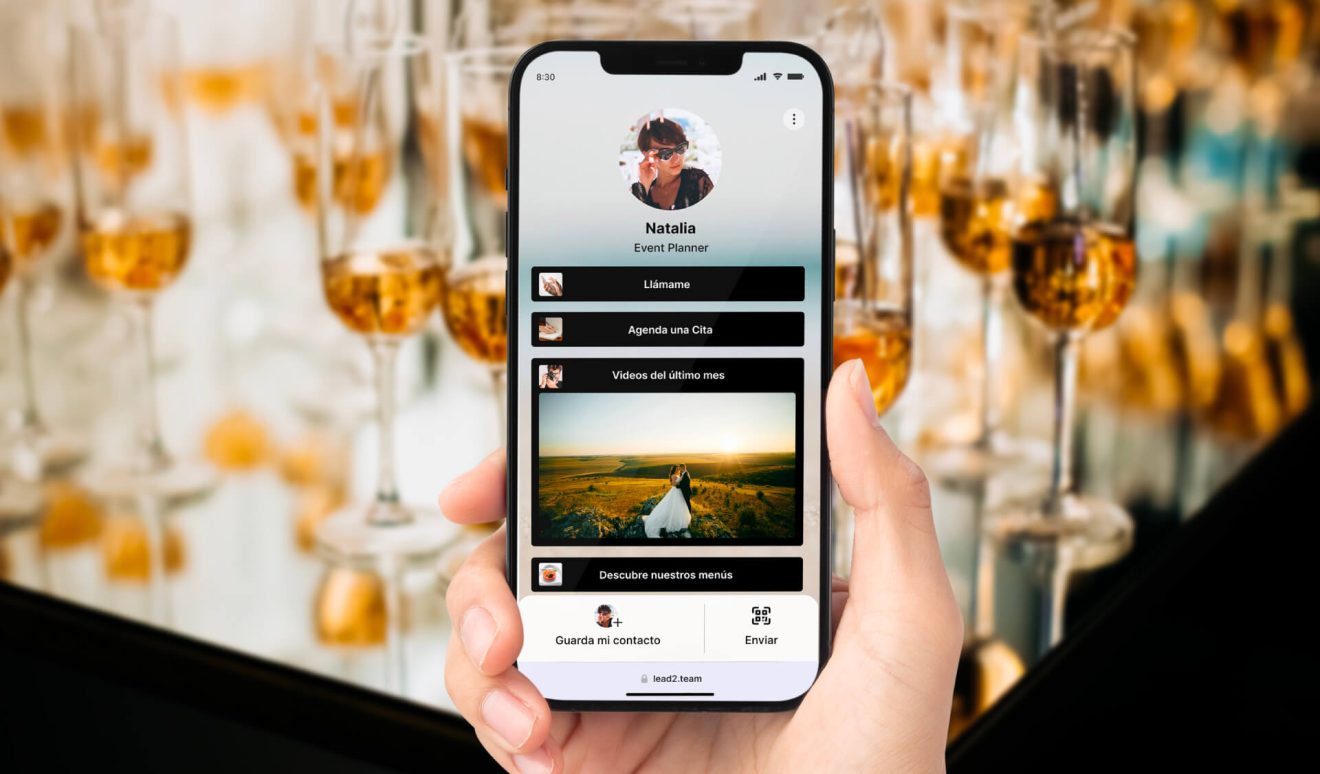
✅ Key elements for a digital business card for the weddings, events and travel sector:
Contact and quote request
- Offers an easy way for clients to get personalized quotes, increasing the chances of conversion.
Testimonials and videos
- Videos of past events and trips capture attention and showcase your experience.
Portfolio of services and pricing
- High-quality photos of the events and trips you have organized demonstrate your skills and creativity.
Social media links
- Provides access to your social media profiles to share more information and gain FOLLOWERS.
6. Digital card for health, fitness and wellness
The health and fitness sector is fiercely competitive, and the goal of networking here is to spread good news.
As a health or fitness professional, your digital business card must serve two purposes. First, to stand out from the crowd and capture attention. And second, to build trust.
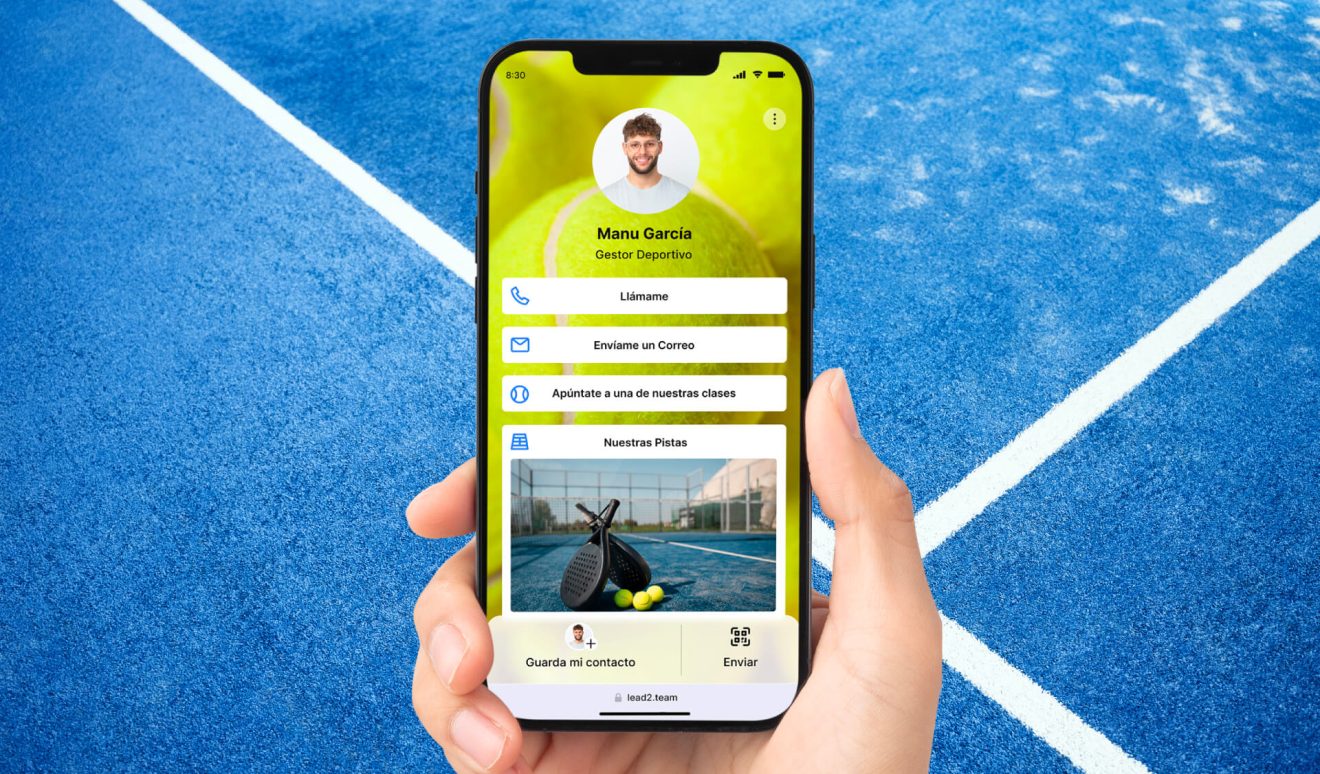
✅ Key elements for a digital business card for the health and sports sector:
Class videos
- Videos of classes and workouts capture attention and demonstrate your experience.
Real testimonials
- Testimonials from satisfied clients build credibility and trust in your services.
Contact and appointment scheduling
- Makes it easy to schedule consultations or training sessions, enabling direct, personalized contact.
Health assessments and calculators
- Offer a no-commitment assessment to attract new clients and show your commitment to their wellbeing.
Newsletter with tips on routines and habits
- Offer a direct link to the blog or a newsletter sign-up to attract new clients and show your commitment to their wellbeing.
7. Digital card for the education sector
A digital business card is a valuable tool in the education sector because it lets teachers and professionals share their experience in an interactive, accessible way.
It not only makes direct contact easier, but also serves as a platform to distribute educational resources, testimonials and useful materials, improving communication with students, colleagues and parents.
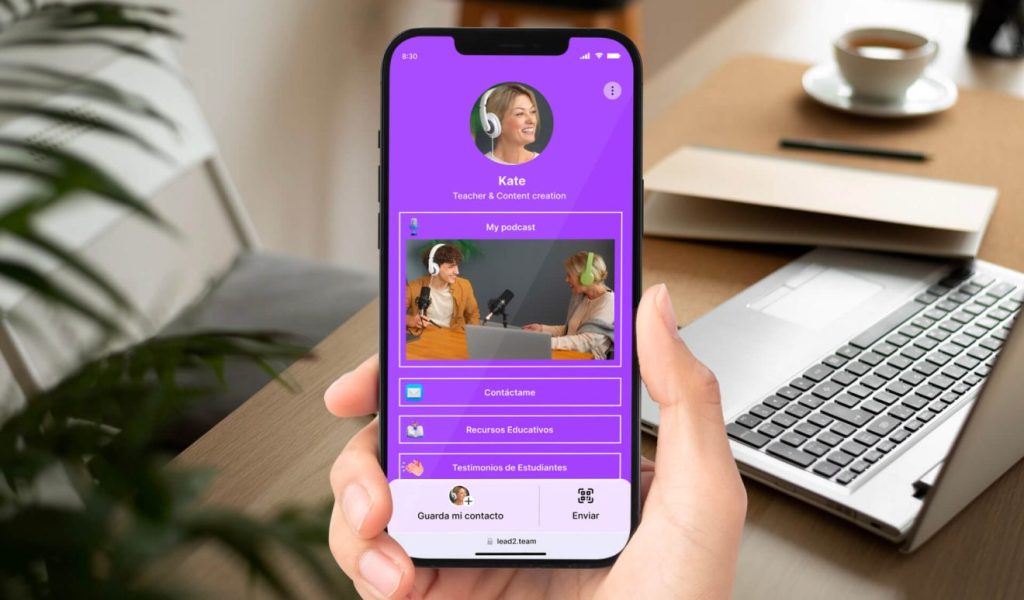
✅ Key elements for a digital business card for the education sector:
Interactive educational resources
- Include links to videos, audio, presentations or articles that demonstrate your experience and deliver immediate educational value.
Student testimonials
- Add videos or written reviews from students and parents that reinforce your credibility and the impact of your teaching.
Certifications and awards
- Highlight your certifications or awards, demonstrating your commitment to educational excellence.
Appointment scheduling and contact
- Make it easy to schedule consultations or tutoring by adding your meeting calendar.
Publications and social media
- Add links to your educational blogs, academic articles or social media profiles where you share educational content.
Final thoughts
If you take networking seriously (who doesn't? 🙂), you need to make the most of the benefits of digital business cards. It not only improves your professional image, but also helps you generate leads and increase traffic to your website, social media and marketing resources.
In this article we have walked you through the best examples by sector so you can easily get started in the world of digital cards. In addition, Lead2Team offers more than 20 templates and advanced design options to make the process of creating your digital card easier and more enjoyable.
Put it into practice with your team
Create your team's digital cards and share them in seconds, with full brand control.