Digital Business Card: what is it, how does it work and benefits?
A digital business card is a professional contact profile you share instantly through a link, a QR code, an NFC card or your email signature, with no app to install. It gathers your details, social profiles and links on a page the recipient opens in their browser and saves to their contacts with one tap. Unlike paper, it updates in real time and lets you measure every contact, which is why sales teams use it to capture leads at trade shows, visits and meetings.
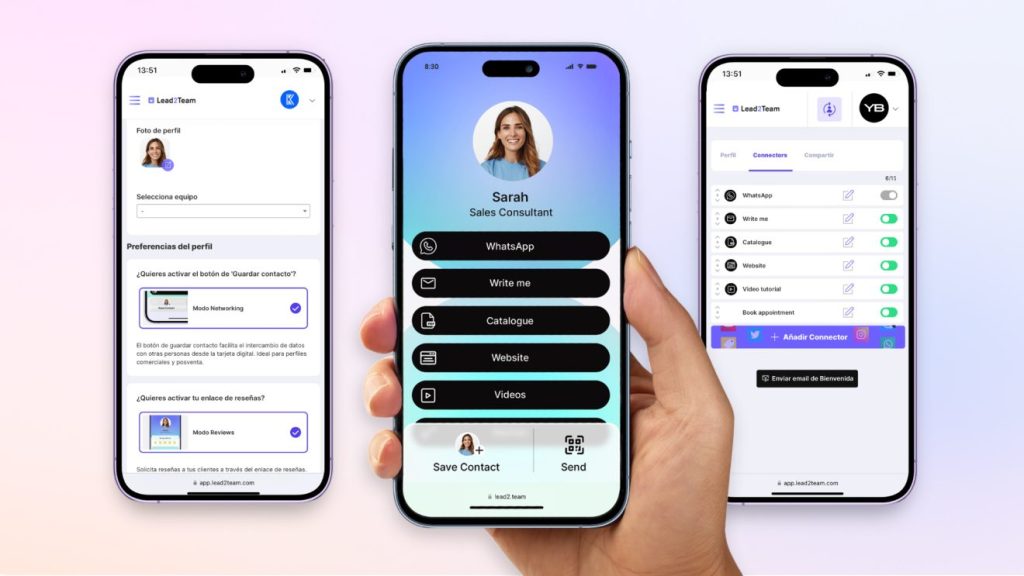
Digital business cards, also known as virtual cards or vCards, are the modern, electronic version of traditional business cards. These cards are transforming how we connect professionally, whether at networking events, trade shows or meetings with potential clients.
How do digital business cards work?
They are really simple to use. You just carry your card on your phone and share it by email, SMS or WhatsApp, or show your QR code for the other person to scan. When they scan the QR code, they will open your card and have the option to save your contact details and your digital card link to their phone's address book.
Digital cards are clearly making an impact because, unlike traditional cards, they offer a wide range of features that make them more powerful and versatile.
We have created a section of video tutorials so you can see how these online business cards work.
What information and resources can you add to a digital card?
✅ Include all your contact information and a profile photo:
- Keep your details always up to date and accessible.
✅ Add interactive resources:
- Add videos, catalogues and meeting schedulers to give your contacts a richer experience.
✅ Show your social media and web links:
- Make it easy for potential clients to access your profiles and relevant websites.
✅ Capture the other person's details:
- Using forms, you can gather information from your contacts and generate leads.
✅ Organise and manage contacts:
- Save and organise all your contacts in an orderly way, making it easier to follow up and remember the person you interacted with.
Digital cards not only simplify sharing information, they also improve the way you manage your professional relationships. You can create your digital card easily with Lead2Team and have it ready to use in just 10 minutes!
Ways to share your digital card
1. Web link
Your virtual card is essentially a web link you can send to anyone. Add it to your phone's home screen for quick access, always at hand.
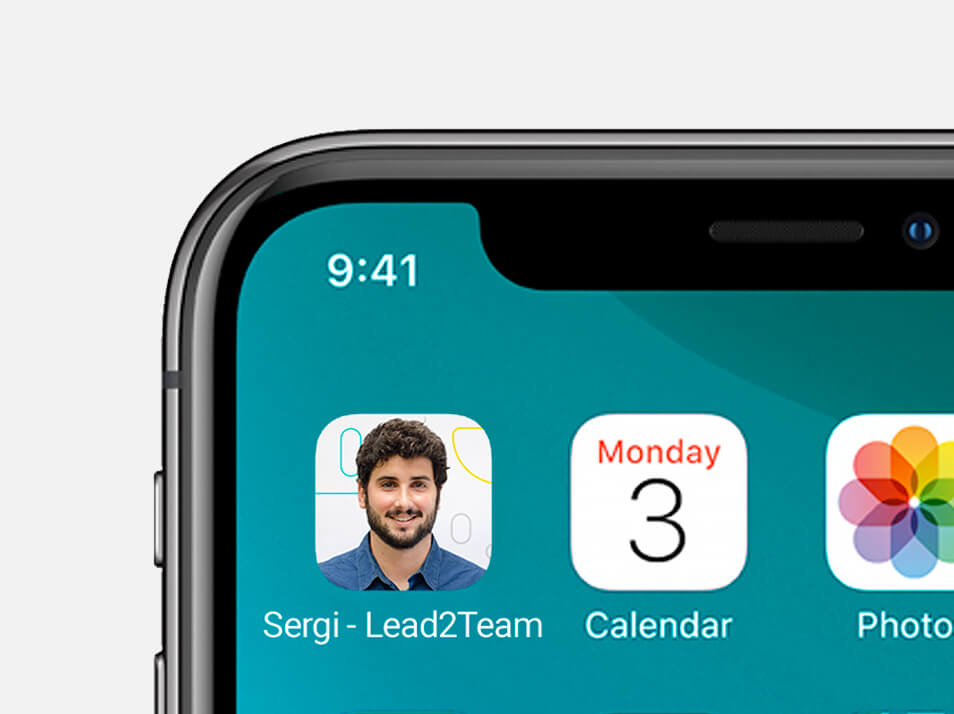
2. Wallet
Although not every virtual card platform offers this option, it is very convenient if you prefer to use a digital wallet. The Wallet format card includes a QR code and is compatible with iPhone and Android devices.
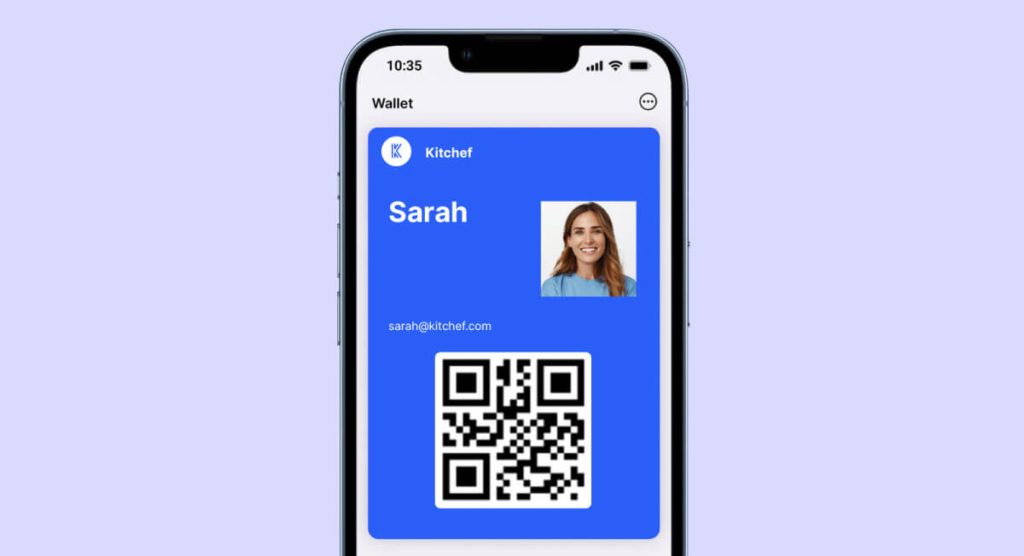
3. QR code
The QR code links to your digital card, allowing others to scan and easily access your information. It is very useful to add to catalogues and physical spaces, for example in the shop, on workstations or at the trade show stand.
4. Physical card with QR
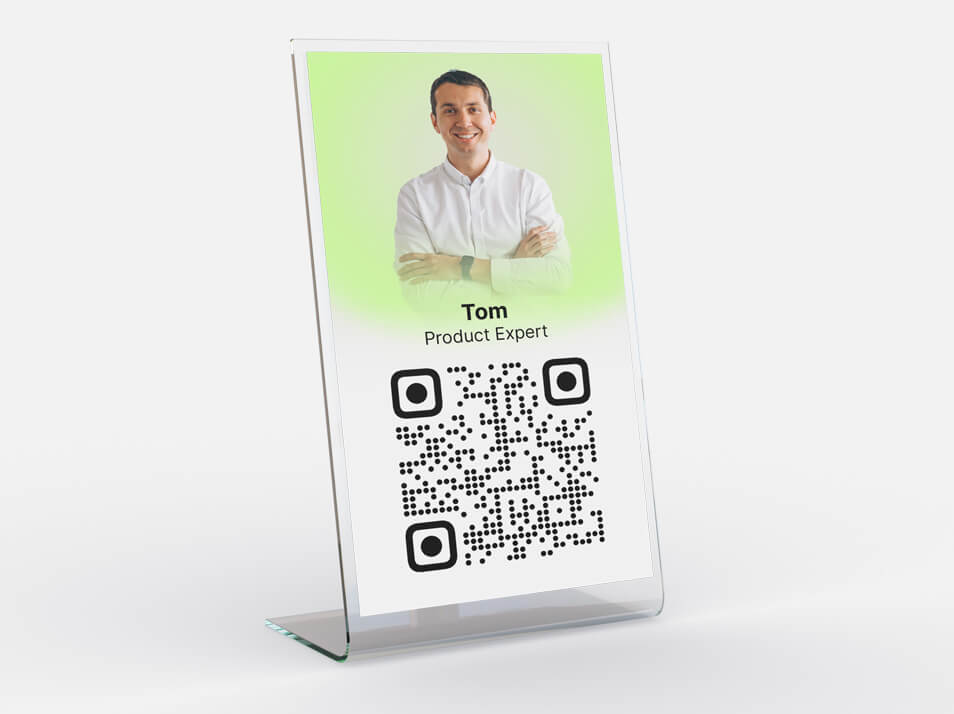
Print a physical card with a QR code that leads to your digital card. It combines the best of both worlds: the traditional format and the advantages of digital.
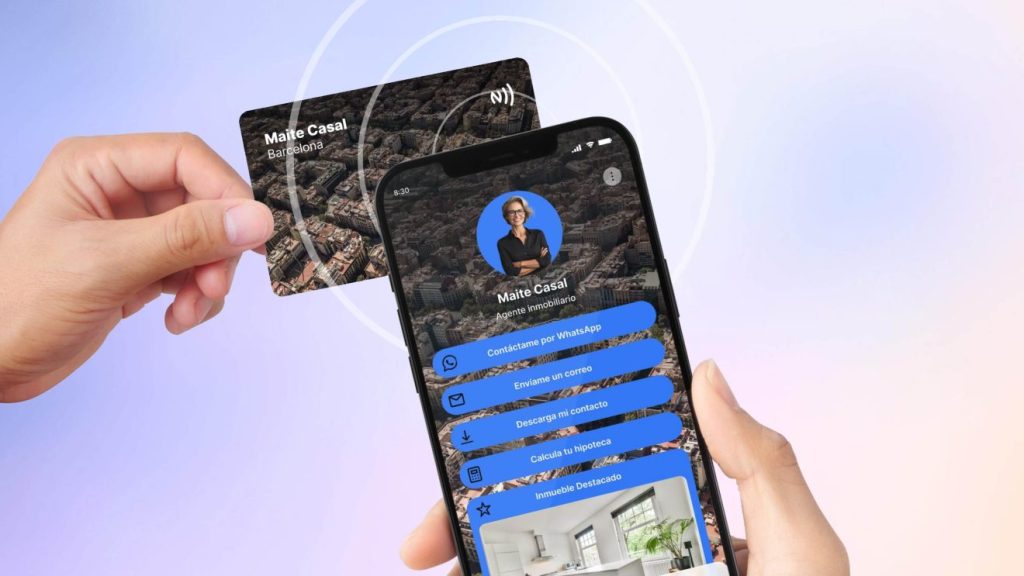
5. Card with NFC technology
The NFC card is a physical card, usually made of PVC, with a chip inside. This chip stores the link to your digital card. You just hold your card near a mobile device for the other person to open your card or save your contact. It is fast, efficient and contactless.
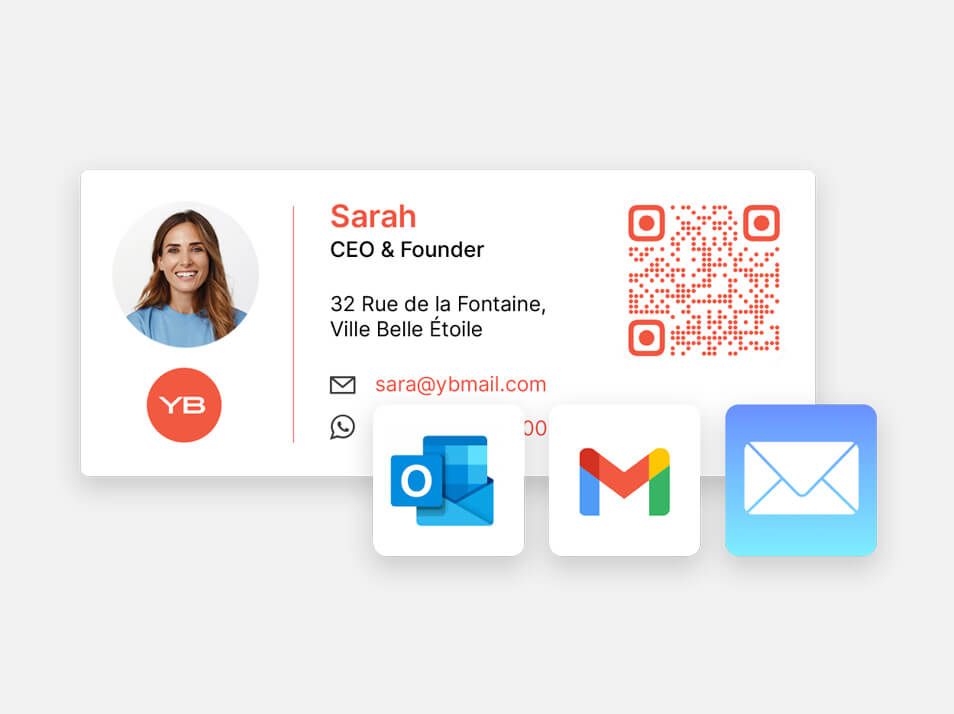
6. Email signature
Include your digital card's QR code in your email signature. That way, every email you send makes all your contact information available to the recipient.
7. vCard
The vCard is the most basic digital card, in .vcf format, containing the essential contact details: name, job title, email, phone, WhatsApp and links. This file does not require an internet connection.
Benefits of digital business cards vs. paper cards
Digital cards not only make your networking more modern and professional, they are also an eco-friendly solution that removes paper waste.
➡️ Sustainability and safety
- They remove the need for constant reprints. If you change your contact details or find a design error on your printed cards, with paper cards you would have to print them again. With a digital card, by contrast, you can update the details at any time and from anywhere.
- Care for the environment. By using digital cards, you cut out paper and printing ink, contributing to sustainability.
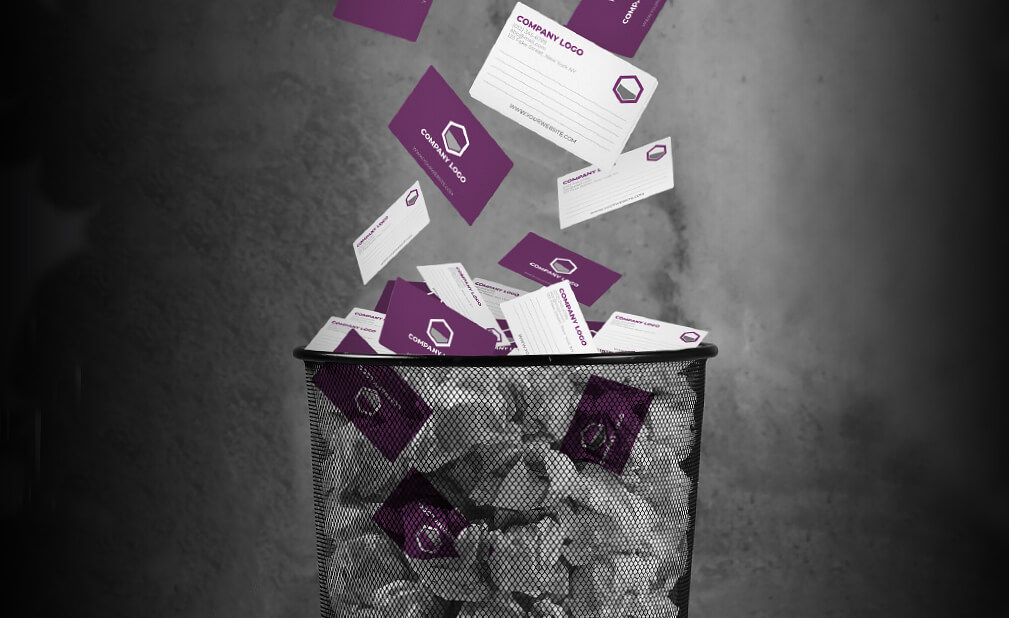
- Cost savings for your business. On average, companies spend between 40 and 80 euros a year on paper cards for each employee. Digital cards are a far more affordable (2€ – 3€ per user a month, with discounts for annual plans) and cost-effective alternative, as they improve your image, make contact follow-up easier and drive traffic to your marketing resources.
- Safe during the pandemic. The pandemic turned in-person meetings into video calls, leaving paper cards obsolete and looking outdated. Many people also prefer to exchange contacts without physical contact for health and safety reasons. Contactless digital cards are the ideal option in this context, enabling a safe exchange of information.
➡️ For sales and business use
- Effective connections. Digital business cards transform the way sales teams capture and manage leads. They provide a frictionless tool for collecting contact information, ensuring no lead is lost in the early stages of the sales funnel.
- Better engagement. With the ability to include videos and any marketing resource, digital cards let you present complementary products and services in an appealing, accessible way for your client. Take a look at some examples and designs of digital cards for different businesses.
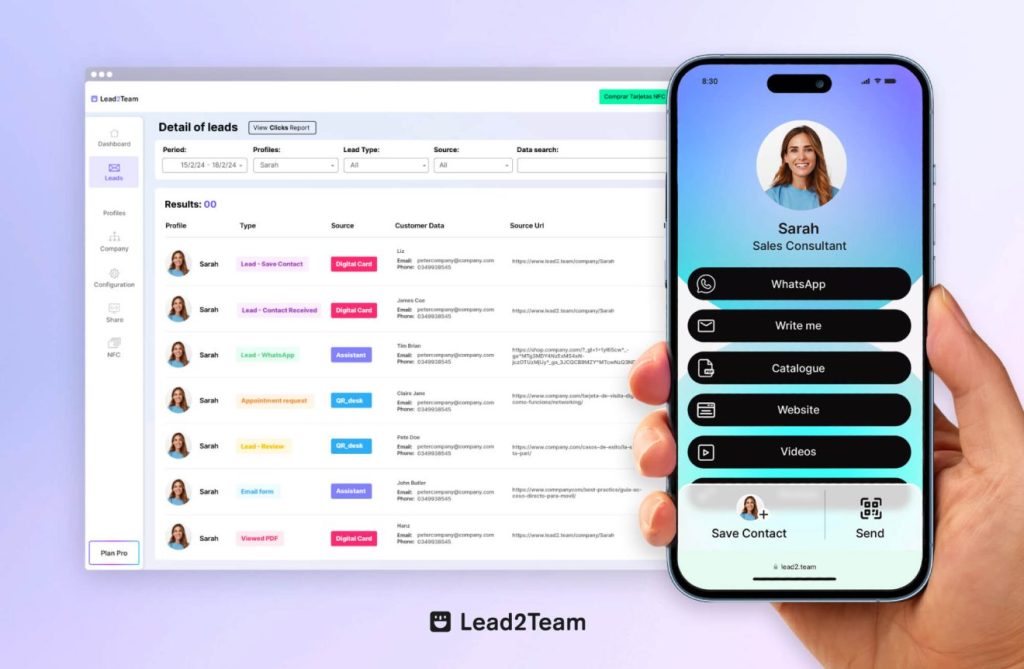
- ROI measurement. Everything that happens with your digital card is recorded in real time, giving a clear view of the number of contacts collected, leads generated or traffic driven to your card's links. This is valuable information that a paper card simply cannot provide.
- Eliminates manual data entry. Digital cards can be integrated with CRM systems or spreadsheets so data entry happens automatically and without errors. This significantly improves the sales team's efficiency, freeing up more time to focus on dealing with the client and strengthening relationships, enabling accurate tracking of interactions and results, and optimising lead conversion and sales performance.
- Projects a current image. Using advanced technology to manage contacts reflects innovation and adaptability, qualities that resonate positively with clients and prospects.
➡️ For administration and HR
- Efficient management. With digital cards, updating details is instant, which streamlines administrative management without the delays and costs tied to traditional printing.
- Constant availability. It ensures every sales rep has access to their digital business cards at all times, without worrying about running out of stock at crucial moments.
How do I create my digital business card?
There are many platforms for creating your digital business card. To choose the right one, consider aspects such as ease of use, the data-sharing experience, design customisation options and whether it offers advanced features for company-level management.
Step-by-step guide to creating your Digital Card [UPDATED 2024] Watch on YouTube
🚀 Advantages of Lead2Team for creating your digital card
#TrialVersion: Lead2Team offers a trial version with which you can create your vCard in seconds. You just fill in your contact details, choose a design template and your card will be ready to share.
#OfflineMode: The Lead2Team card has a vCARD mode and an Offline Mode that lets you share your card without an internet connection, ideal for trade shows where the wifi can be weak.
#NetworkingMode: Your card will have a "Save contact" button so the other person can download your vCard to their address book with a single click.
#Notifications: You will receive email notifications when someone interacts with your card, for example when they send you a message or leave their contact details.
#ContactsPortal: All the contacts you generate are stored in an orderly way in the portal, ensuring you never lose one and making follow-up easier.
#NoApp: The Lead2Team card does not require an app, nor does the other person need to use Lead2Team to exchange contact with you.
#MultiFormat: You will have your digital card in several formats: custom link, QR, email signature with QR, Wallet download… You can even embed it on your website with the Web Assistant option. Lead2Team has clearly thought of every possible situation to cover any digital or physical environment.
#MultiLanguage: the Lead2Team platform is available in Spanish, English and Portuguese.
#Integrations: You can connect Lead2Team with any CRM, Excel or application you use for prospecting and client follow-up.
#CompaniesPortal: Lead2Team offers a special setup for large companies, with a master account and an individual login for each employee. It includes a very complete setup service so companies can make the transition from paper to digital cards in just 24/48 hours.
#Support: The Lead2Team support team responds quickly by email and WhatsApp in Spanish and English.
Put it into practice with your team
Create your team's digital cards and share them in seconds, with full brand control.